Connect, classify, and unlock your data
Intellistack Streamline is the only single-vendor platform to connect and classify data, power workflows with secure data, and operationalize workflows and data.
Request a demoWatch an Intellistack Streamline demo
How we unlock your data and put it to work—securely and easily

Connect
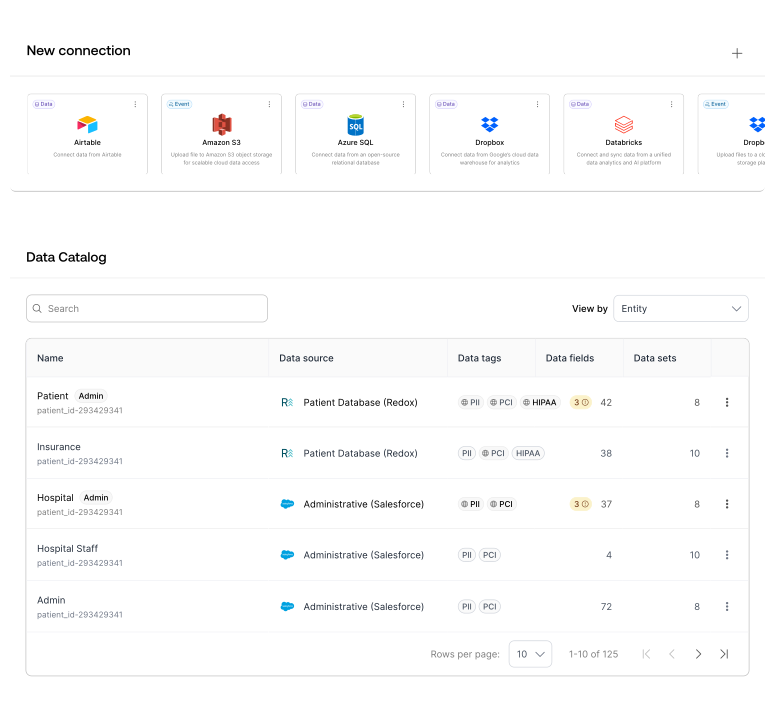
Seamlessly connect to multiple data sources through our Data Fabric, including business systems, EHRs, and SQL databases. The platform automatically classifies and identifies sensitive data under frameworks such as HIPAA, PII, and PHI.

Activate
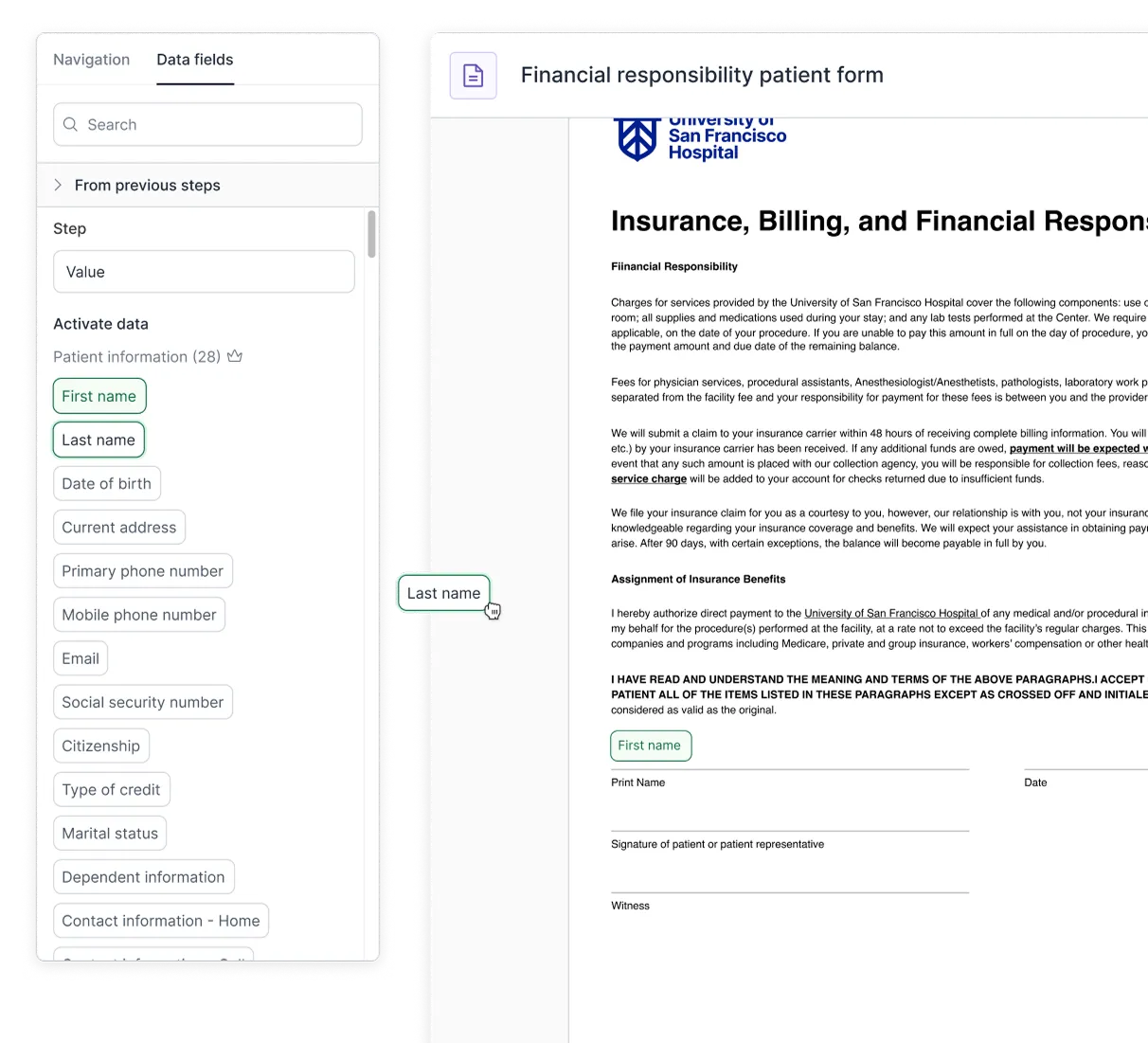
Power workflows by dynamically prefilling forms, documents, contracts, and eSignature templates with secure data—without migrating or storing it. Anyone can create workflows because IT can apply role-based data policies, reducing errors and risks.

Automate
Operationalize and automate workflows and your data, with changes written back directly to the system of record and any other chosen systems. Changes made while collecting data are immediately reflected in the original system.

Control
Enforce governance with data security guardrails. Set role-based access controls and use sensitive data classification to apply policies. An audit log tracks data origin, history, transformations, and workflow execution—ensuring a full accountability trail.
Connect and protect your data
Connected data sources and API
Read from and write to multiple data sources, including EHR systems, business systems, and SQL databases. Our Data Fabric ensures that instead workflows can access and use the data in real time. Extend the platform using our robust API.
Automated data classification
Protect your data with automatic sensitive data classification that follow compliance frameworks, such as HIPAA and PCI. This ensures your data is tagged and accurately identifiable, including PII, PHI, and PCI. You can then apply data policies across users and roles.
Design user-friendly workflows
Customized workflows
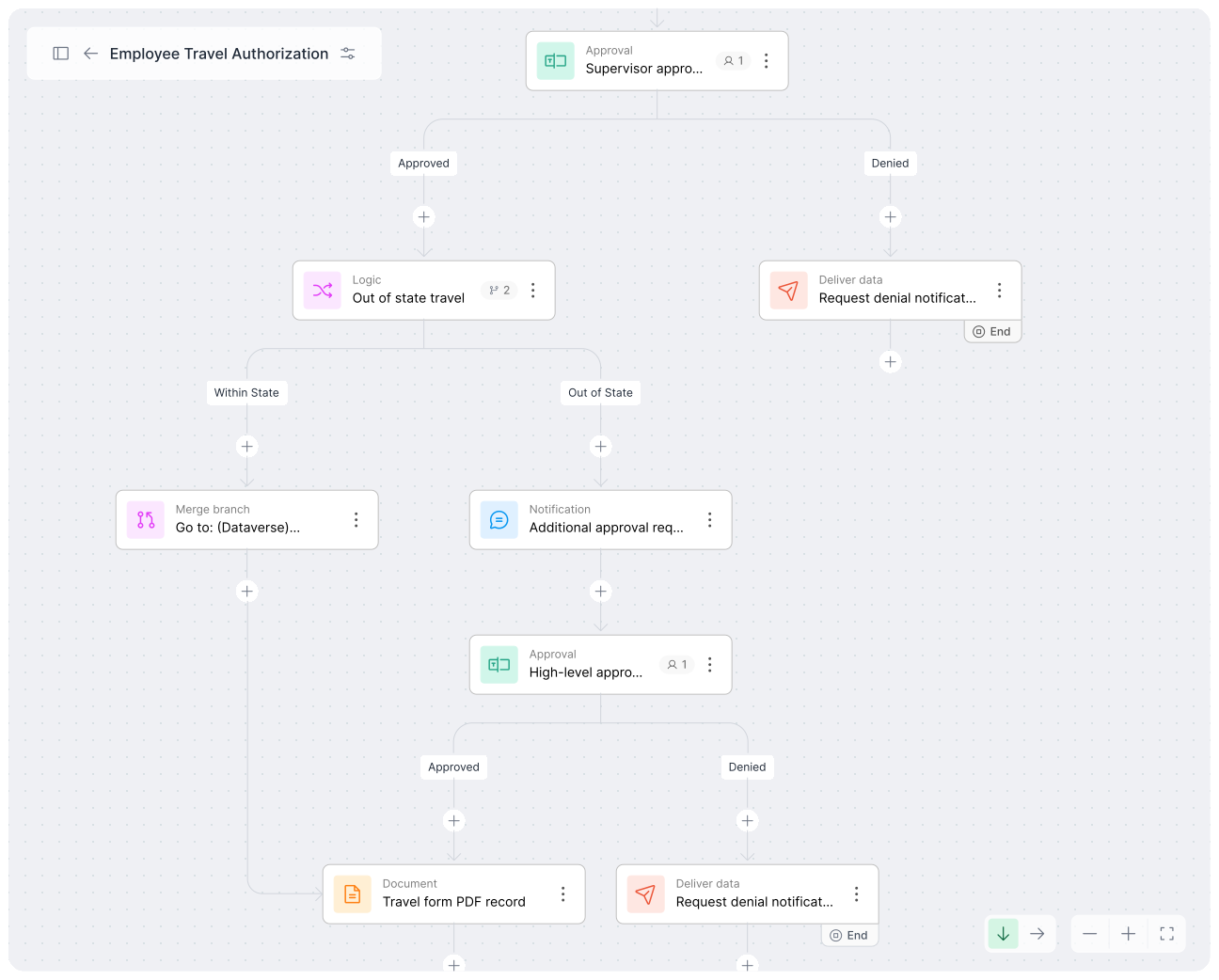
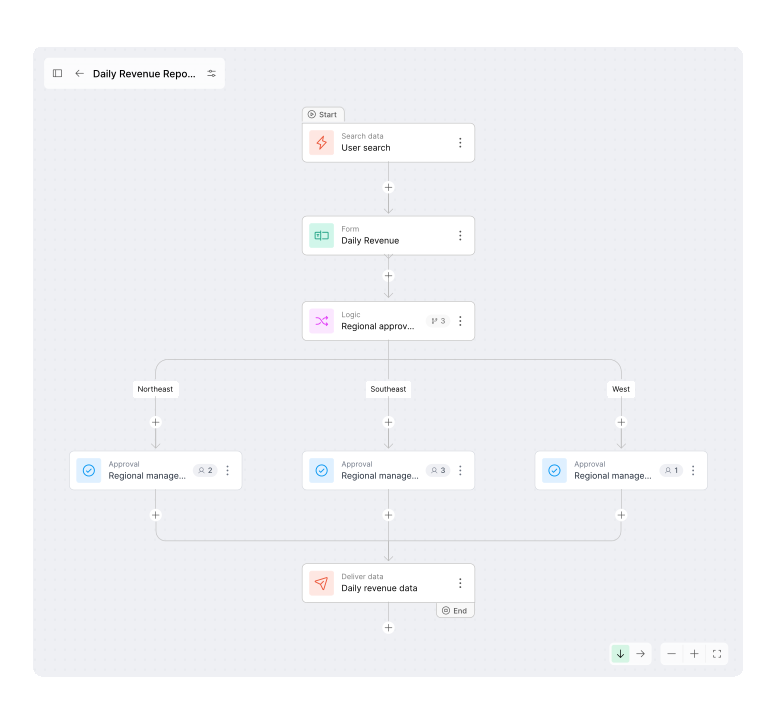
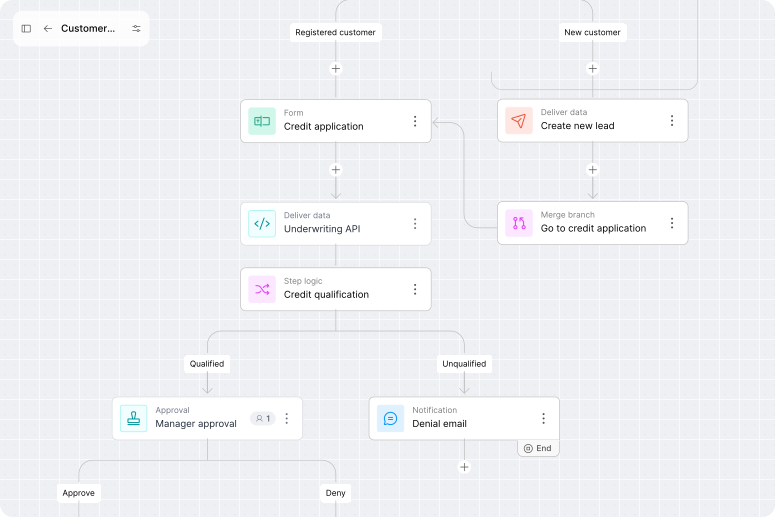
Enable anyone to effortlessly create workflows that include forms, documents, contracts, and eSignatures. Apply more advanced workflow features like logic, branching, approvals, and notifications.
Data collection
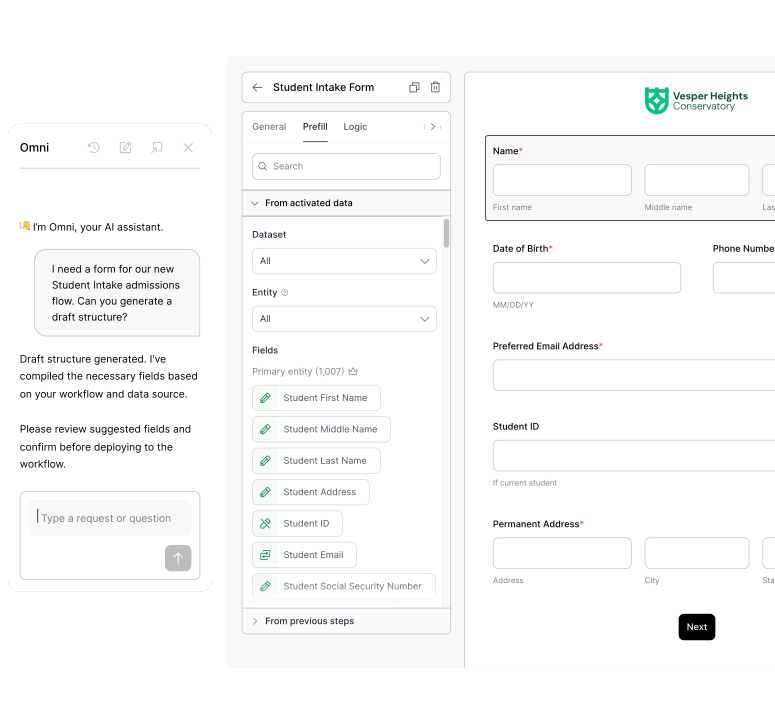
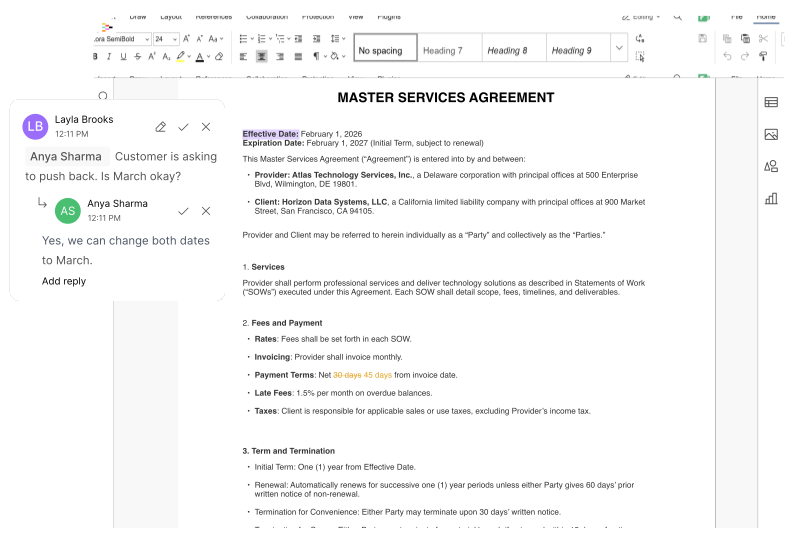
Easily collect data from anyone using customizable forms and documents. Create user-friendly experiences with prefilled fields and smooth step-by-step workflow progression. Invite others to review, comment, redline, or approve documents or contracts before sending them for signature.
Activate data and power workflows
Activated data
Harness the secure access to your existing data by activating it across workflows. Dynamically prefill data into form, document, contract, and eSignature workflow steps. Your end users will complete forms and documents faster since they aren’t starting from scratch, and manual errors are significantly reduced.
Enterprise AI
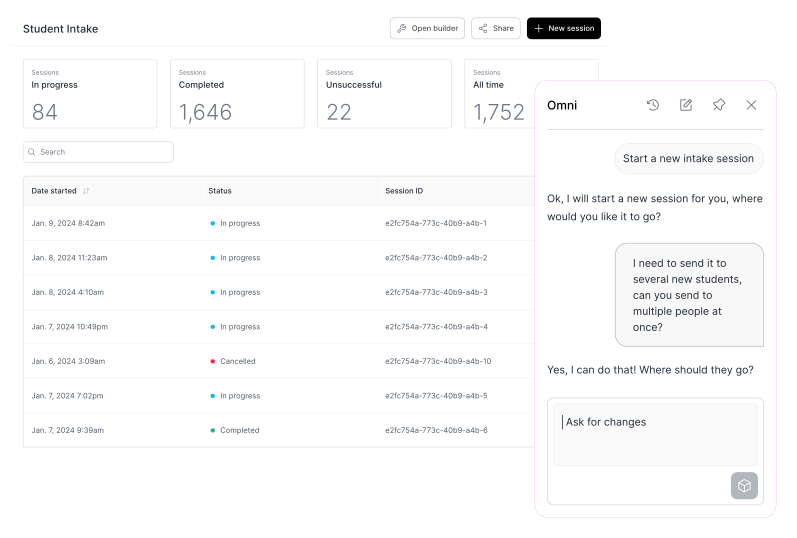
AI is at the core of the platform, from making it easy to create a new project to analyzing data or offboarding a team member. Inside any area of the platform, AI is merely a keystroke away, offering helpful ways to effortlessly complete a task such as generating a report or auditing how data was used.
Enforce governance with data security guardrails
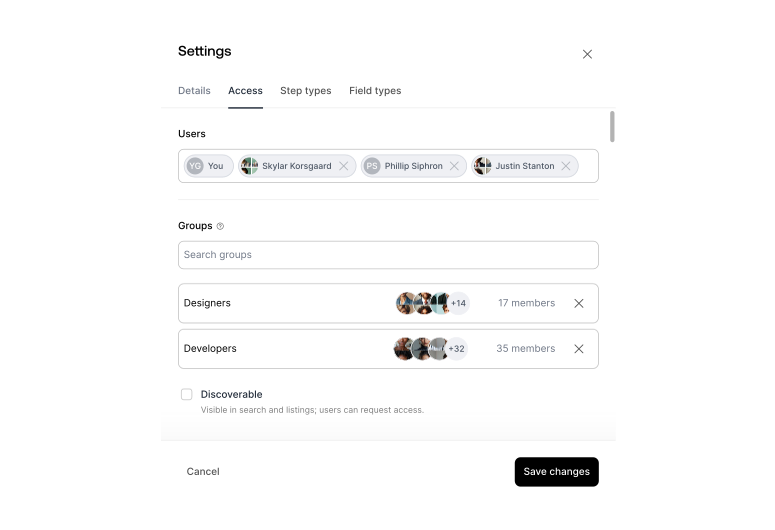
Apply policies and set rules with enterprise-grade governance, such as establishing access to data based on roles and user types, including sensitive data controls. Platform access is controlled by password policies and session timeouts, custom Single Sign-on, and 2-factor authentication enforcement.
FAQs

Intellistack Streamline connects to multiple data sources through its Data Fabric, including business systems, EHRs, and SQL databases. Workflows can access and use that data in real time, while changes can be written back directly to the system of record and other chosen systems.
The platform automatically classifies and identifies sensitive data under frameworks such as HIPAA and PCI, including PII, PHI, and PCI data. IT teams can then apply role-based policies and security guardrails across users and workflows.
Yes. Intellistack Streamline can dynamically prefill forms, documents, contracts, and eSignature templates with secure data without migrating or storing it. This helps users complete workflow steps faster while reducing manual entry errors and risk.
Intellistack Streamline enforces governance through role-based access controls, sensitive data policies, password policies, session timeouts, custom single sign-on, and two-factor authentication. An audit log also tracks data origin, history, transformations, and workflow execution to provide a full accountability trail.
Once a workflow is connected to a source system, updates made within Intellistack Streamline such as a completed form or approved document are written back directly to the system of record, keeping data consistent across platforms without manual re-entry.
Workflows in Intellistack Streamline can include logic and branching, multi-step approvals, and automated notifications. They can also support review, commenting, redlining, approval, and signature steps within a single workflow.
Omni, Intellistack Streamline's AI agent, is agentic in the sense that it takes real action by creating workflow steps, configuring fields, and assembling workflows as you describe what you need, rather than just answering questions or suggesting text to paste in. It isn't an autonomous background executor: Omni works with you in the build chat, and when it hits a step it can't fully automate; it guides you through finishing it rather than acting unsupervised.
No. Intellistack does not use customer data to train or improve AI models. AI features like the Transform Step and automatic data classification process your data in context, and only aggregated metadata and system telemetry (never the underlying substantive data) may be used to enhance product performance. That data is encrypted in transit and at rest, and is retained only as long as necessary under Intellistack's standard data lifecycle and retention policies. Processing takes place within Intellistack's secure, multi-tenant cloud infrastructure (hosted on AWS and Azure) using vetted AI subprocessors — not within the customer's own environment.