
Bring approval paths back together in a single workflow: Introducing Merge Routing in Intellistack Streamline


Different approval paths, one engagement process
Your Intellistack Streamline workflows that require different paths can finally come back together. With Merge Routing, every approval path can flow into one shared engagement process. Builders configure the common steps once, keep the workflow easy to follow, and make future updates in one place.
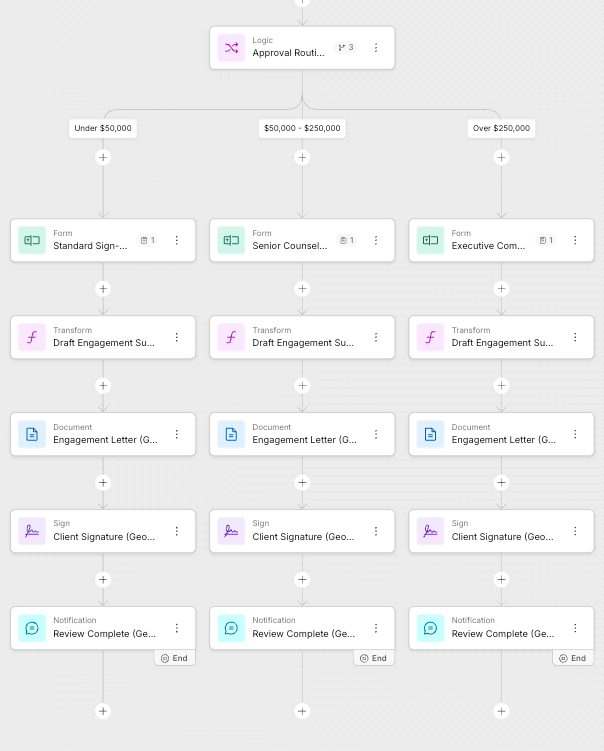
Picture an engagement letter approval workflow that routes work based on deal value. An engagement under $50,000 follows a standard approval path, one between $50,000 and $250,000 goes to senior counsel, and one over $250,000 requires executive review. Each branch keeps the approval step it needs, then reconnects to the same sequence: prepare the engagement materials, generate the engagement letter, collect the client's signature, and send the completion notification.
Build the shared work once
When a workflow splits after a Logic step, the builder can add a Merge step where two or more branches should come back together. The merge appears on the canvas with each selected branch visibly connecting to it.
In this engagement workflow, the three deal-value branches converge after their separate approval forms. The builder then configures the transform, engagement letter, client signature, and completion notification once. Every submission follows the approval path that applies to its value, then continues through the same shared steps.
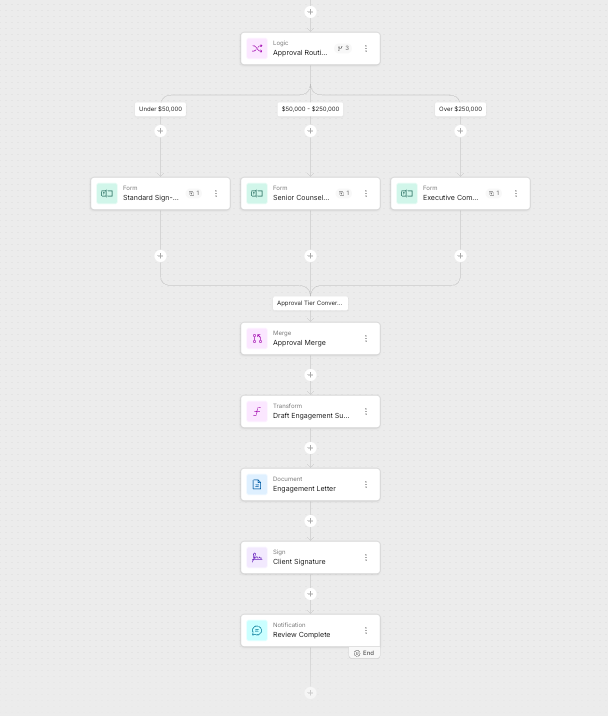
The result is a workflow that reflects the real process: approval requirements vary by deal value, while the engagement process after approval stays consistent.
Bring branch data into shared steps
Each approval branch can collect its own data, even when the forms use matching fields. The Data tab scans the merged branches and combines matching fields into unified fields for the shared steps.
Each unified field shows which branch steps feed it. After the merge, those fields appear under the merge name in the data picker, so the builder can map one unified field instead of configuring a separate source for every approval path.
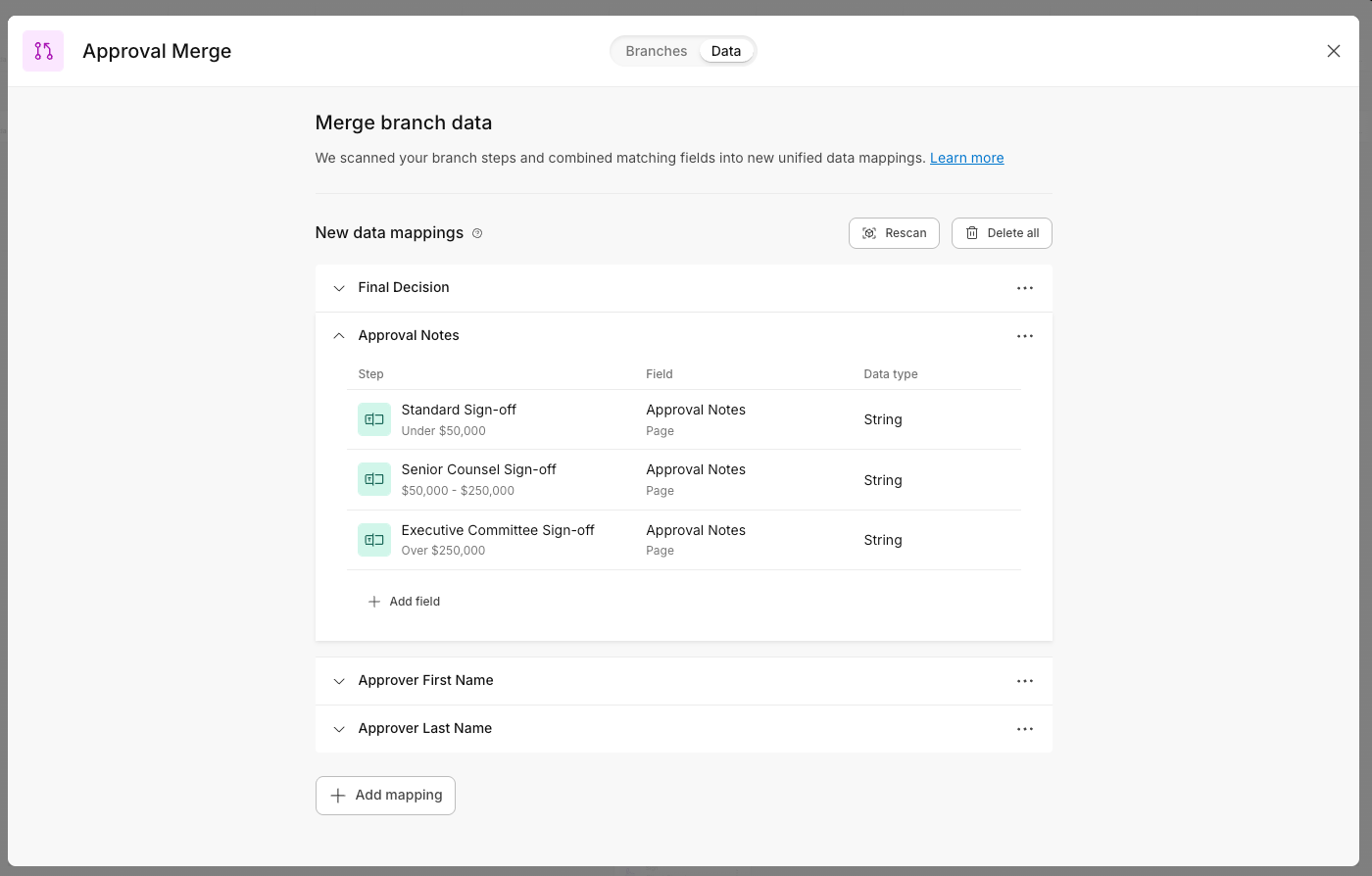
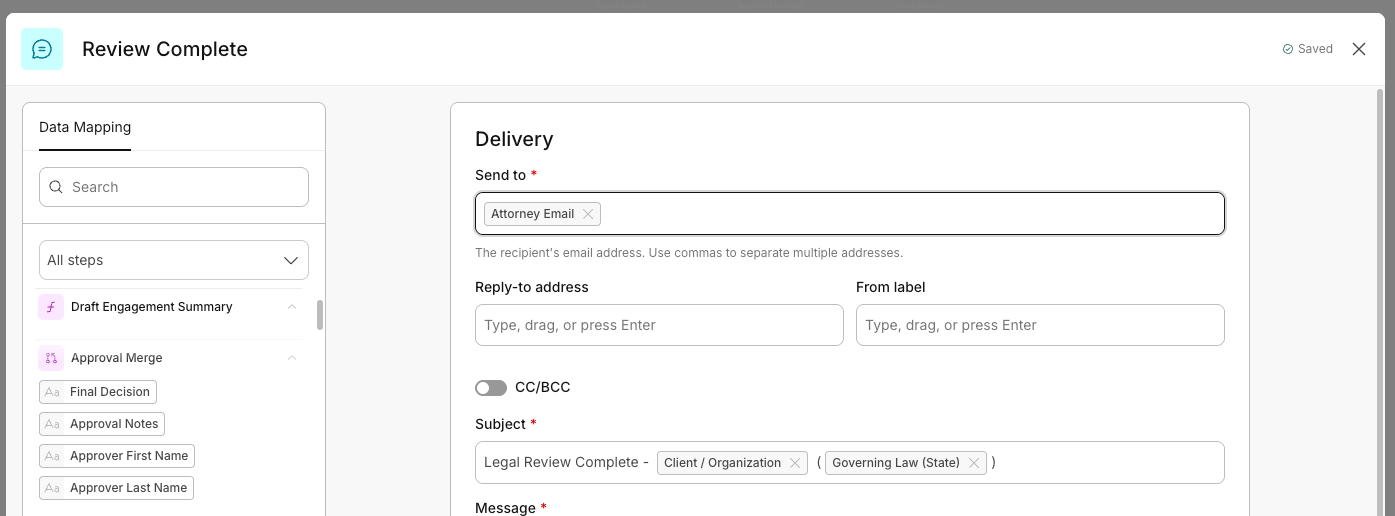
Downstream, in any step after the merge, these unified fields appear grouped by merge name in the data picker. The builder picks one field and it works for every path.
Why it matters
- Build once, stay consistent. A policy or template change on the shared ending applies everywhere the flow comes back together. No drift between branches, far less room for human error.
- Smaller, readable workflows. Branching-heavy workflows collapse duplicated endings into one shared segment. Allianz Life, for example, found Merge could converge two paths early in the flow and cut roughly half the steps in a workflow that runs hundreds.
- Layered merges. An existing merge can itself be combined with more branches, so you can build up a larger shared path, and the Data tab combines fields across those nested merges too.
Availability
Merge Routing is available to all Intellistack Streamline customers, no add-on or upgrade required. Any user who can edit projects can use it. Open your project's workflow builder and add a Merge step after a Logic split to get started. Check out the help article here.