


Customized user access now available in Intellistack Streamline
An admin is onboarding a builder who should edit and maintain existing workflows but never spin up new projects of their own. The role that lets them build also lets them create projects. The role that withholds project creation cannot build at all. So the admin makes a choice nobody wants to make: over-permission the builder and accept the risk, or under-permit them and field access requests all week. Neither is right, and the org has a dozen people in the same gap.
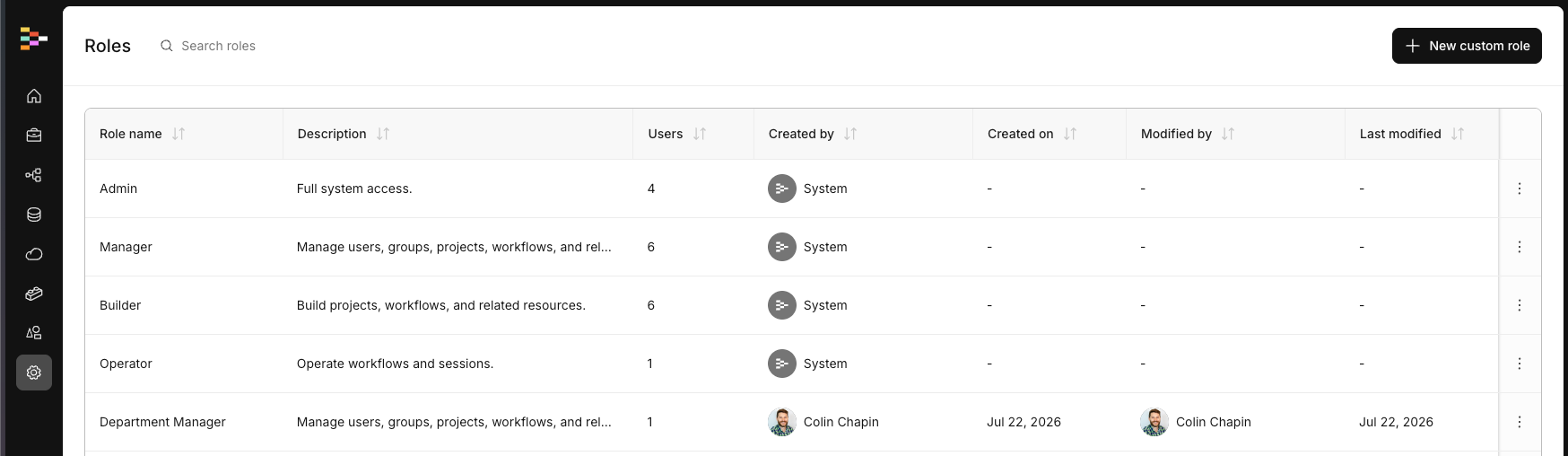
Custom Roles closes that gap. Intellistack Streamline has always shipped four built-in roles - Admin, Manager, Builder, and Operator - each a fixed bundle of permissions you cannot change. Now an admin can define named roles built from the platform's existing permissions, so access maps to real job functions instead of forcing a fit against one of four presets.
How it works
You create a role, name it, describe what it is for, and choose exactly which permissions it grants. Permissions are grouped by domain - Projects and workflows, Data and integrations, Brands, Users and groups, and more - as collapsible sections with plain-language descriptions inline, so you are reading what each permission does while you build the role, not guessing from a label.
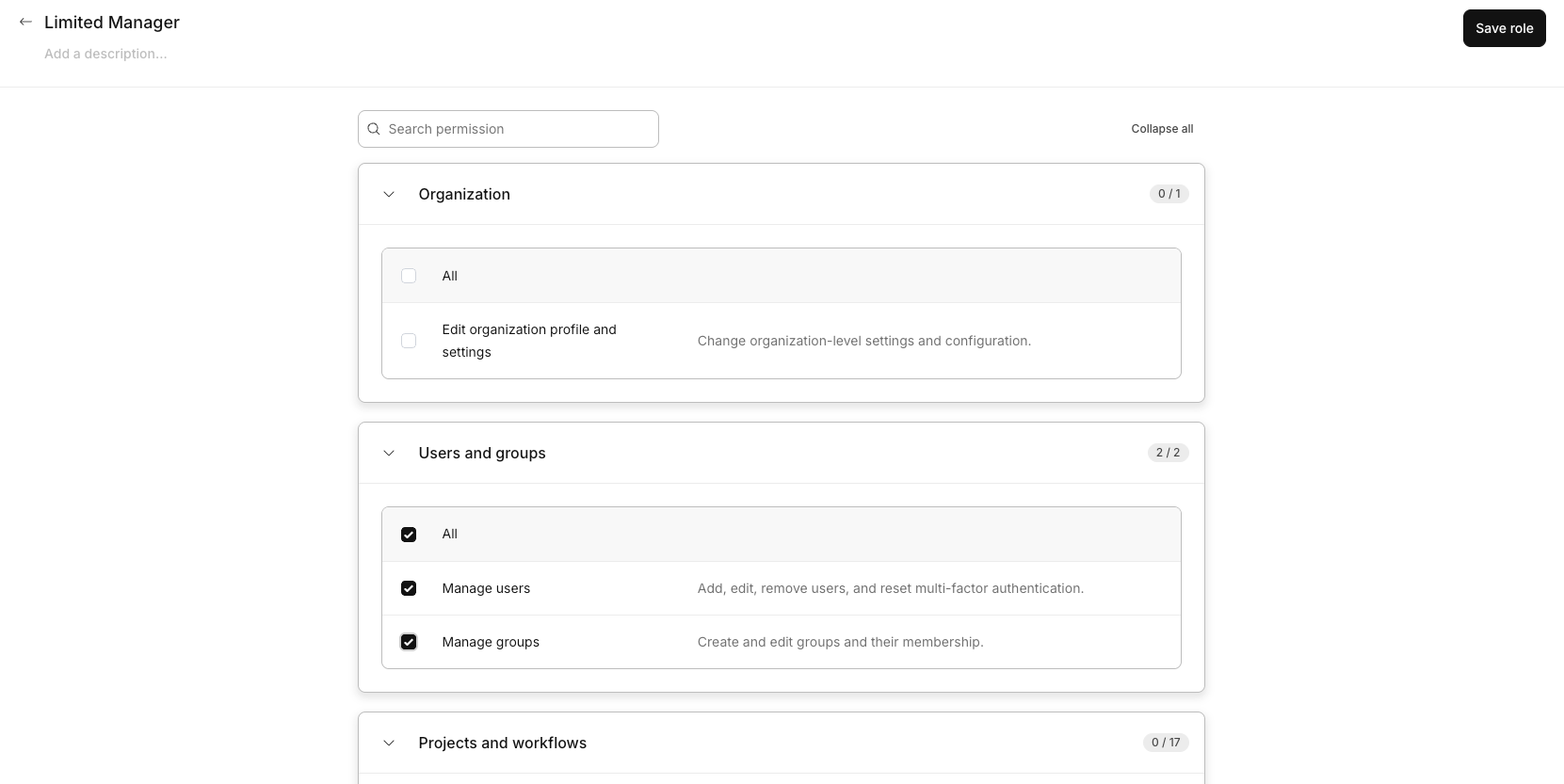
You do not have to start from a blank slate. Duplicate any existing role, system or custom, and adjust from there. The role you build is reusable across as many users as you need, and it is enforced consistently everywhere in the product.
Access that maps to your org
If you own governance and access policy, a fixed set of roles is never going to match your security model exactly. Most teams usually end up keeping the real mapping of who-should-have-what in a spreadsheet. Custom Roles lets you close that gap.
You can build roles that match how your team actually works: an intake specialist who captures data but cannot change workflows, a QA analyst with view-only visibility, a DBA who manages integrations without full admin access, a brand manager who handles brands and domains but not account security. Name the role, assign it, and reuse it across users who share the same responsibilities.
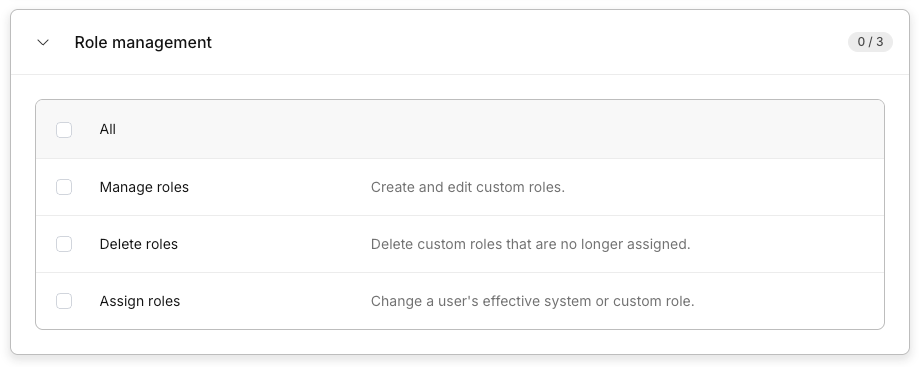
You can also delegate role management without opening the door to privilege escalation. Role-management permissions are in the catalog, so you can grant a non-admin the ability to create and assign roles - bounded so they can never grant a permission they do not hold themselves.
Assign and audit
You assign a role from wherever you already are: the Users page, a user's profile, or the role's own detail page. Assignment is single-role by design - each user holds exactly one role, so there is never ambiguity about what someone can do. Reassigning replaces the previous role. You can change roles for many users at once, with each user's current role shown before you commit.
When you need to answer "what can this person actually do," open the role and read the full permission breakdown grouped by domain. The same view answers audit questions and is the fastest way to diagnose why a user is blocked.
What to know
- Each user has one role. Multiple or per-project roles are not supported.
- Role names are unique within an organization, and a role must include at least one permission.
- A role that still has users assigned can't be deleted - re-assign those users to another role first.
- Duplicating a role copies permissions, not resource access. Only the built-in Admin role sees every project; any other role, including custom roles, still needs project membership to view a project.
- Bulk role creation and CSV-driven assignment are not supported.
Available Now
Custom Roles is available now in Intellistack Streamline, in the Roles & Permissions area. For setup steps, see the Custom Roles help article.