

Form level logic and calculations now in Intellistack Streamline



Picture a busy field services team powering through work orders all day. Technicians log service type, hours worked, parts used. Then someone calculates totals. Someone else checks approval rules. And everyone hopes nothing slips through the cracks.
Now imagine all of that happening automatically.
That is what Intellistack Streamline can now do within the (new) Forms step. No code. No extra tools. Just smart forms that work as you do, helping you with advanced logic and automated calculations
Your form reacts in real time
Form logic runs on a simple When/Then model.
Something happens in the form, then the form responds.
When a value changes, the form can calculate.
When a threshold is crossed, the form can show what matters.
When something is missing, the form can stop the submission.
It all happens instantly while the form is being filled out.
Back to the field services team example.
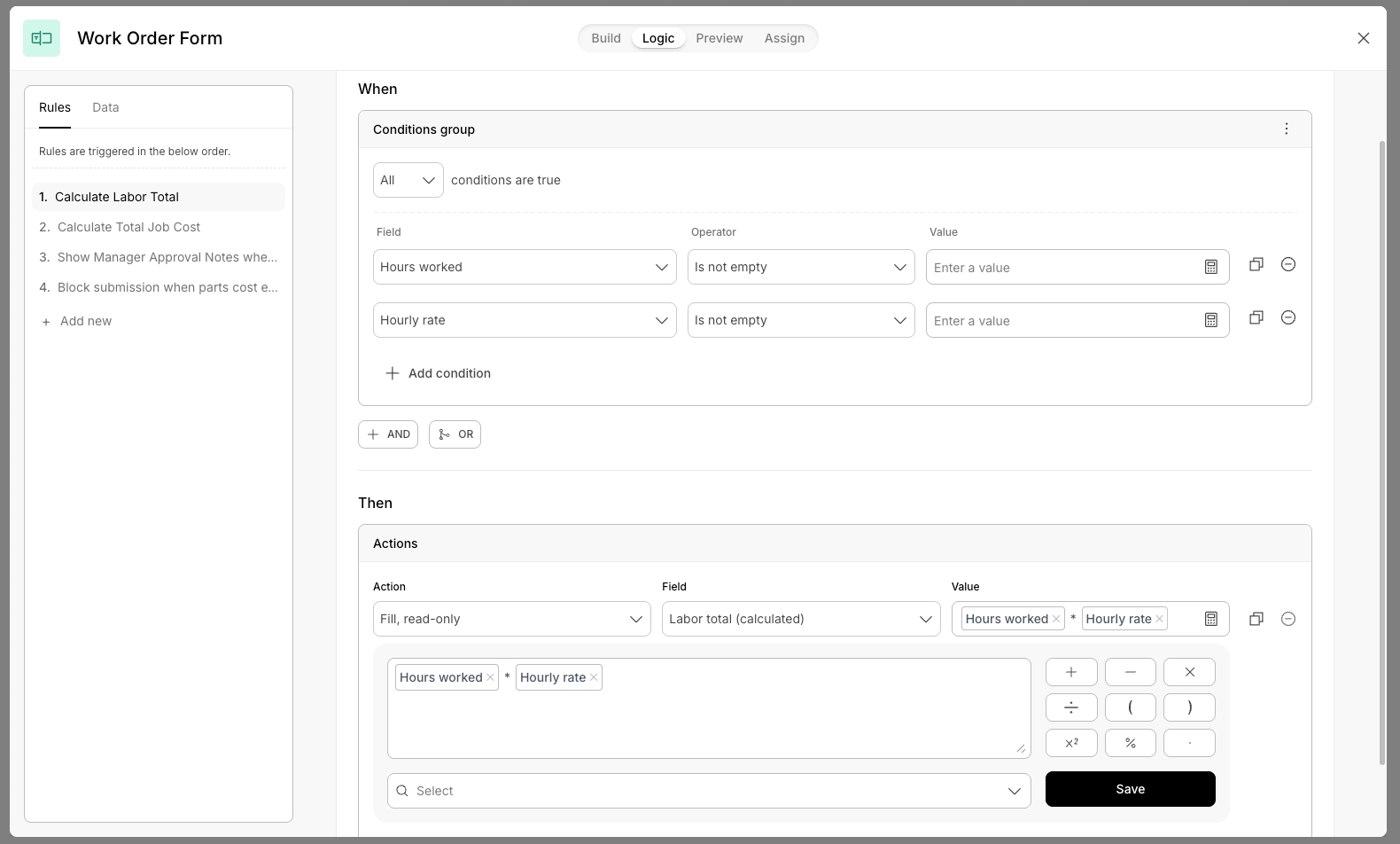
The second a technician enters hours worked, the Labor Total field fills in automatically. The hourly rate was already pulled from Salesforce in an earlier step, so the math is handled. No tab switching. No mental calculations. No side spreadsheets.
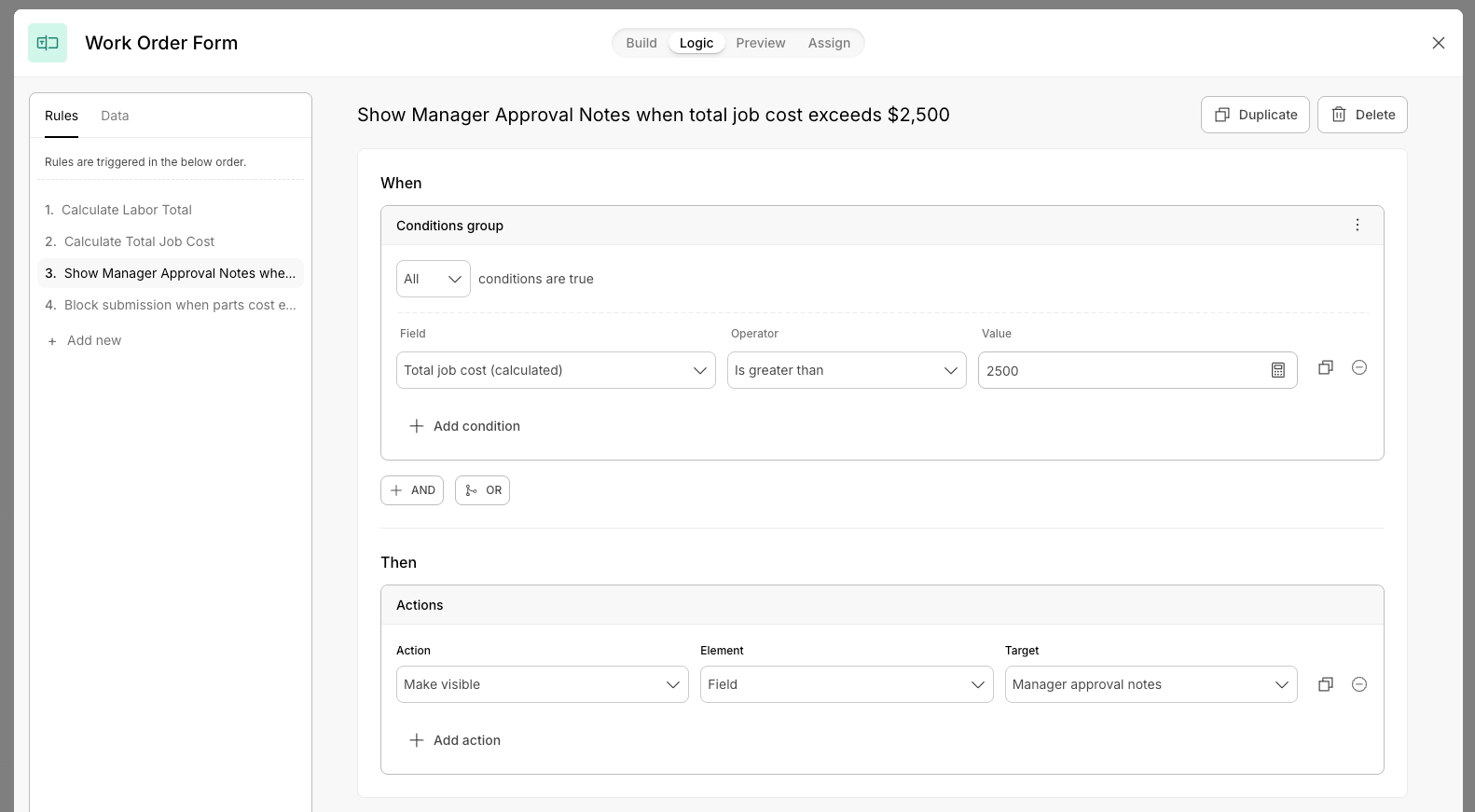
If the total job cost passes $2,500, a Manager Approval Notes field appears right on the form. It was hidden before because it was not needed. Now it is visible.
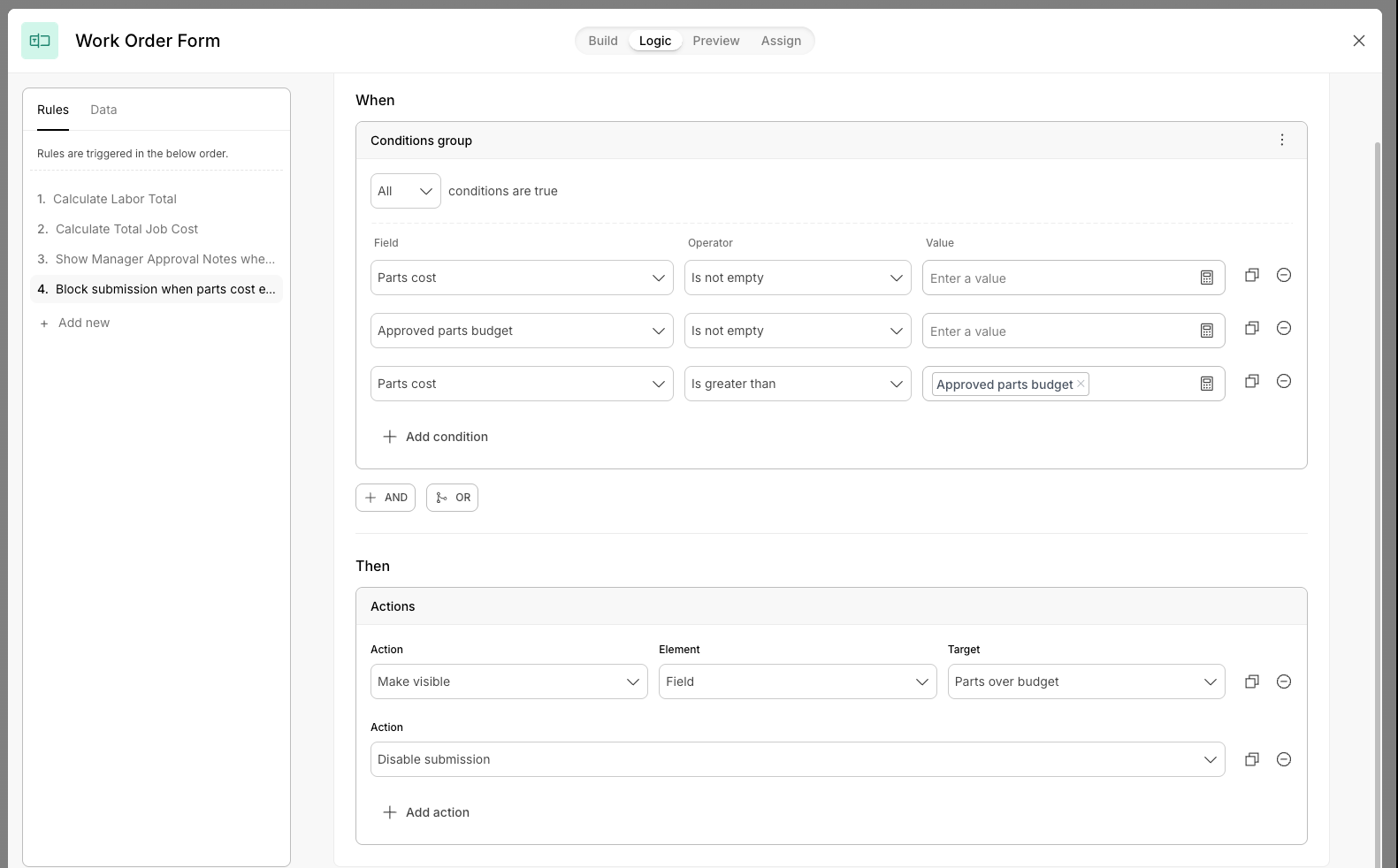
And if parts costs go beyond the approved budget, which was also pulled from Salesforce, submission simply stops. Not with a vague error after clicking submit. Just a clear, immediate signal before the workflow moves forward.
It feels smooth. It feels intentional. And it keeps mistakes from happening in the first place.
Logic works across your entire workflow
Logic is not limited to what is visible on the current form. It can use data from earlier steps in the workflow.
That is how the technician’s hourly rate and approved parts budget show up automatically. A Data Search step grabs the information earlier, and Logic uses it later without extra setup or custom wiring.
Everything stays connected behind the scenes.
The building blocks
Logic supports text, numbers, dates, and option fields like dropdowns, checkboxes, and radios.
You can combine conditions with AND and OR logic, group them, and nest them. So you can define rules like: (this service type OR that service type) AND total cost is over a certain amount.
When conditions are met, you can trigger actions like:
Show or hide fields
Keep the form clean and focused. A Hazardous Materials section only appears when the selected service type requires it.
Make fields required or optional
An incident description becomes required only when job status is marked Incomplete.
Fill fields with values or calculations
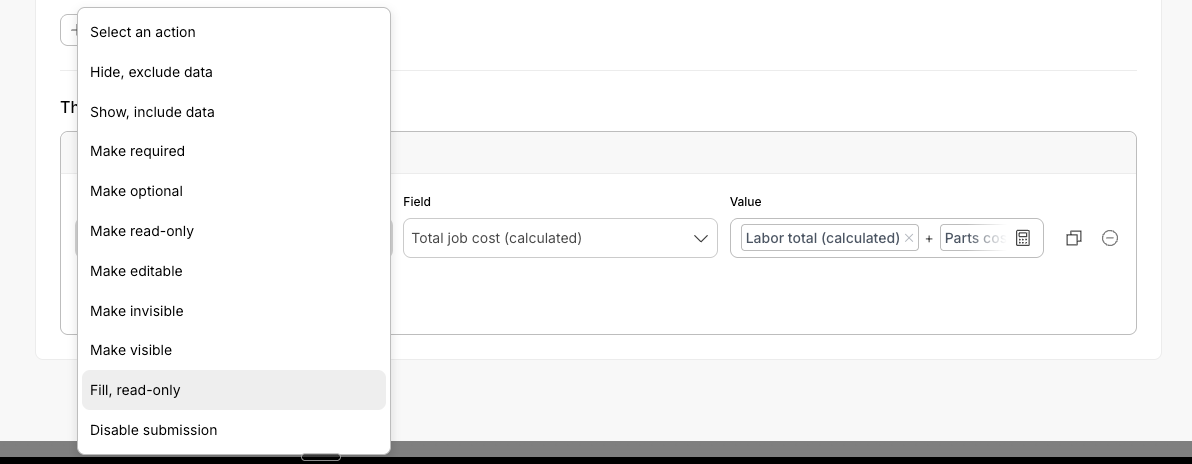
Automatically calculate totals, rates, or derived values. Calculated fields stay protected from edits while the rule applies.
Make fields read only or editable
Lock important values like a pre populated customer account number so nothing gets accidentally changed.
Disable submission
If the total job cost exceeds the approved budget, the form simply does not move forward.
Try it now
Logic and Calculations in the (new) Forms step is available today for all Streamline customers. For additional details and to get started, visit our help article.