
Introducing Branding in Intellistack Streamline: Make Every Interaction Branded


Every touchpoint matters. When your customers, partners, or employees interact with your workflows, they're experiencing your brand, whether you realize it or not. Today, we're excited to announce Branding in Intellistack Streamline, now every form, signature request, and notification email carries your logo and colors—making your workflows instantly recognizable and trusted.
Why branding matters
The cost of looking generic: Every time someone interacts with an unbranded workflow, you're asking them to trust something that doesn't look like you. Resulting in lower completion rates, deleted emails, and customers who wonder if that form is even legitimate.
With Branding for Intellistack Streamline, apply your logo and brand colors to every workflow touchpoint: forms, signature screens, data searches, and email notifications. Your workflows finally look like they came from your organization, not a third-party tool. This provides the foundation for creating seamless, branded experiences that build confidence, extend your brand, and reinforce trust.
Serve multiple audiences without compromise
If you manage multiple brands, you know the challenge: your parent company workflows can't look the same as your subsidiary's. Your HR department needs different branding than your customer-facing sales team. Until now, you've had to choose between brand consistency and operational efficiency.
Now you can create multiple brand configurations in one Intellistack Streamline account, then apply the right brand to each workflow:
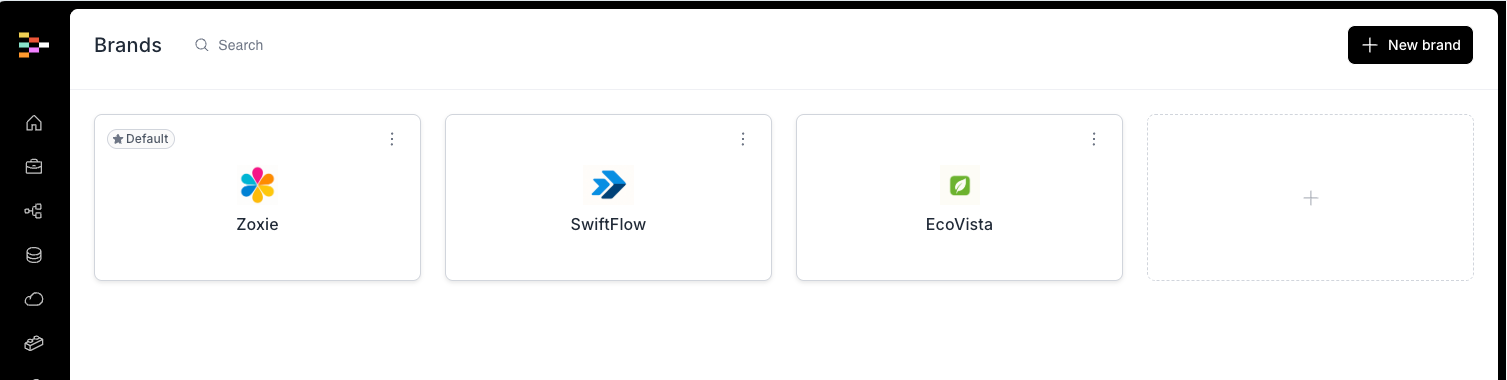
Multi-Brand Enterprises: A parent company with multiple subsidiary brands can now ensure that customer-facing workflows for Brand A look completely different from those for Brand B, all managed from a single Intellistack Streamline account.
Universities and Educational Institutions: Different colleges, departments, or programs within a university can maintain their unique identities. The College of Engineering can have its own branded experience, while the School of Business maintains a completely different look, all while leveraging the same powerful workflow infrastructure.
Agency and Service Providers: Companies that manage workflows on behalf of multiple clients can now white-label their solutions, presenting each client's brand identity instead of their own or Intellistack Streamline's default branding.
Department-Specific Workflows: Large organizations with distinct departments like HR, Finance, or Customer Support can create branded experiences that immediately signal to end users which part of the organization they're working with.
Getting started with brand basics
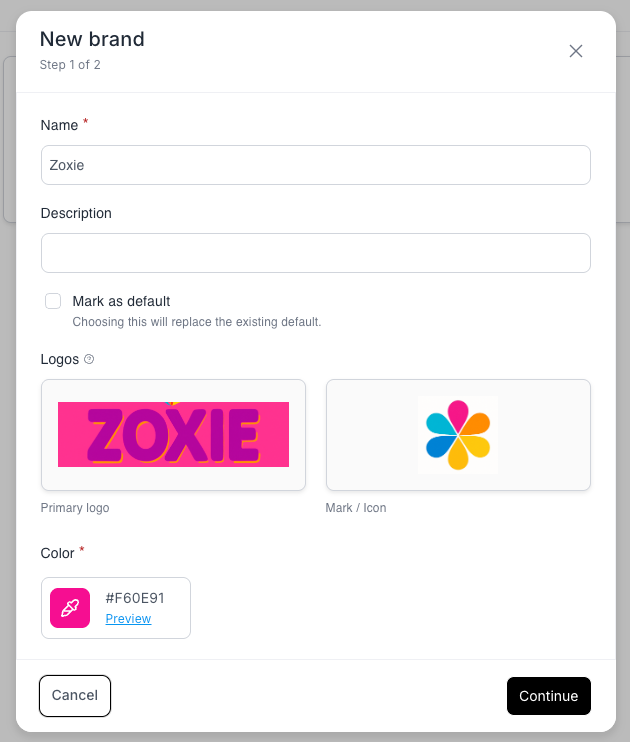
We're starting with the essentials: your logo and your primary brand color. Admins can create brand configurations by optionally uploading a logo and selecting a color that represents your organization. Once configured, your brand can be applied to a Project to be seen across all end-user touchpoints: web forms, signature screens, collaboration interfaces, data searches, and every email notification your workflows send.
Need different brands for different workflows? Set your primary brand at the account level, then override it at the workflow level wherever you need a different identity. Builders can choose which brand applies to each workflow, giving you the flexibility to serve multiple audiences while maintaining centralized control.
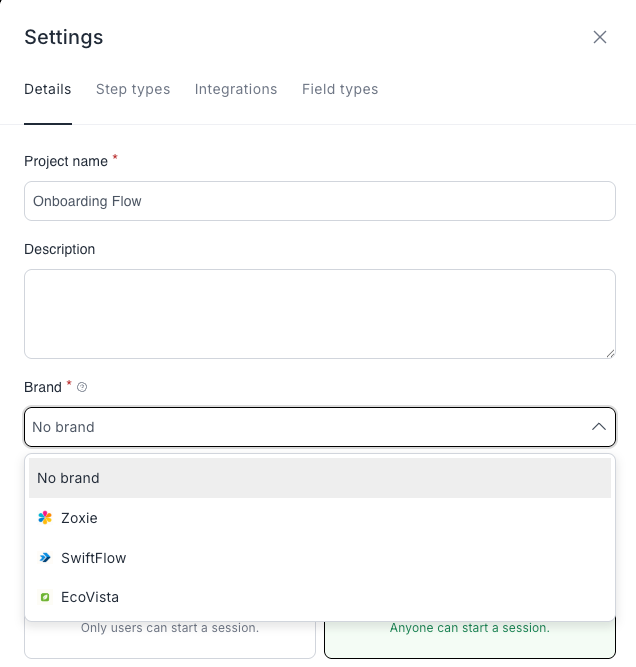
Where your brand appears
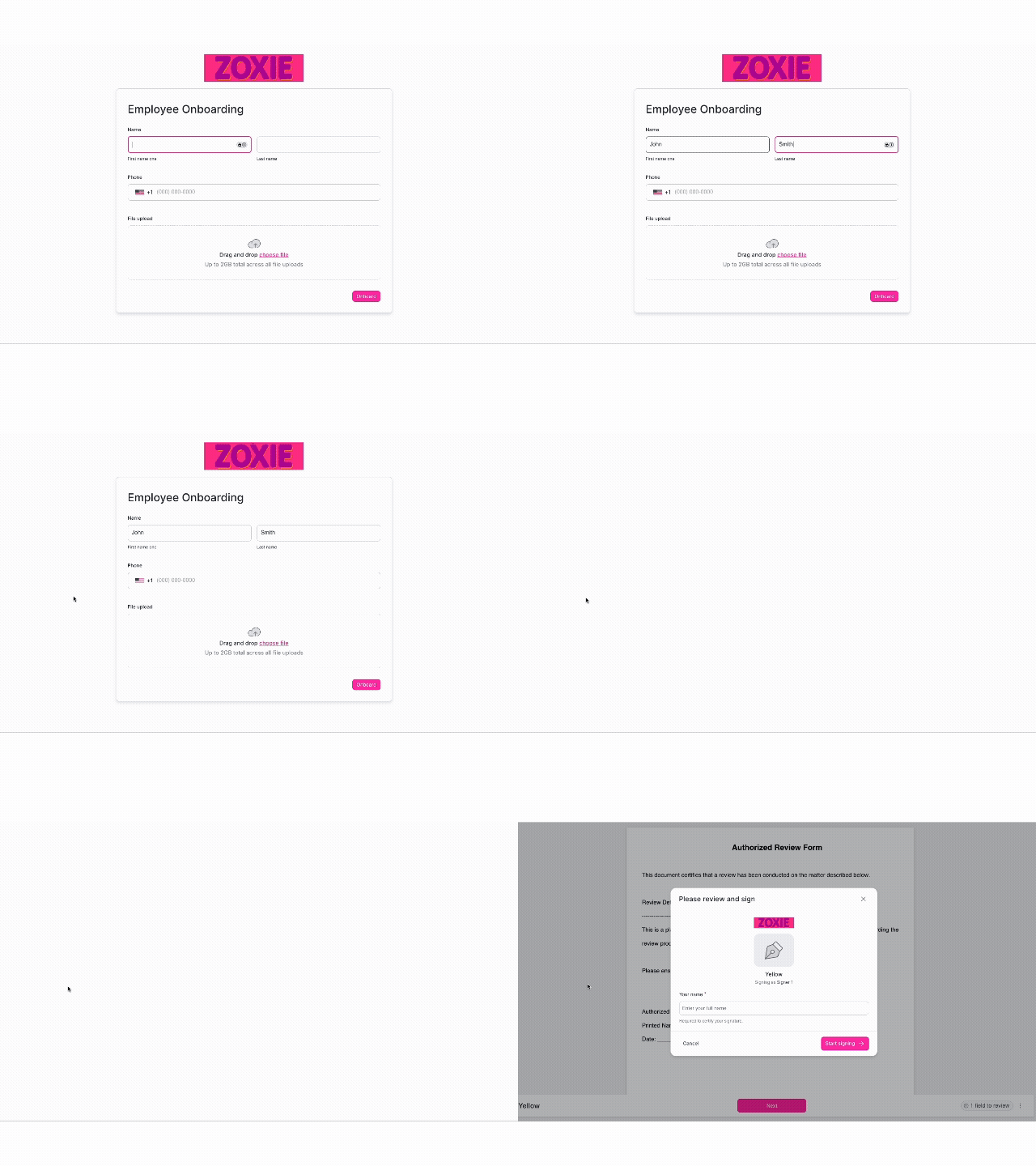
Your brand identity shows up where it matters most, everywhere your end users interact with your workflows:
Web experiences: Forms, signature requests, data search results, and collaboration screens all display your logo, have your icon as a favicon and use your primary color for buttons, checkboxes, radio buttons, and interactive elements.
Email communications: Every workflow-related email, whether it's a form assignment, signature request, or notification, carries your brand.
Your logo and colors create visual consistency that helps end users recognize and trust your communications, reducing confusion and improving completion rates.
Get started today
We're launching with logo and primary color because these are the foundational elements that make the biggest immediate impact on recognition and trust.
Ready to take the first step? Log in to your Intellistack Streamline account and navigate to your brand settings to configure your first brand today. Instructions can also be found in this help article.