


What if you need to send a single consent form? Or get one signature on an NDA? For quick, one-off tasks like these, you need a fast lane.
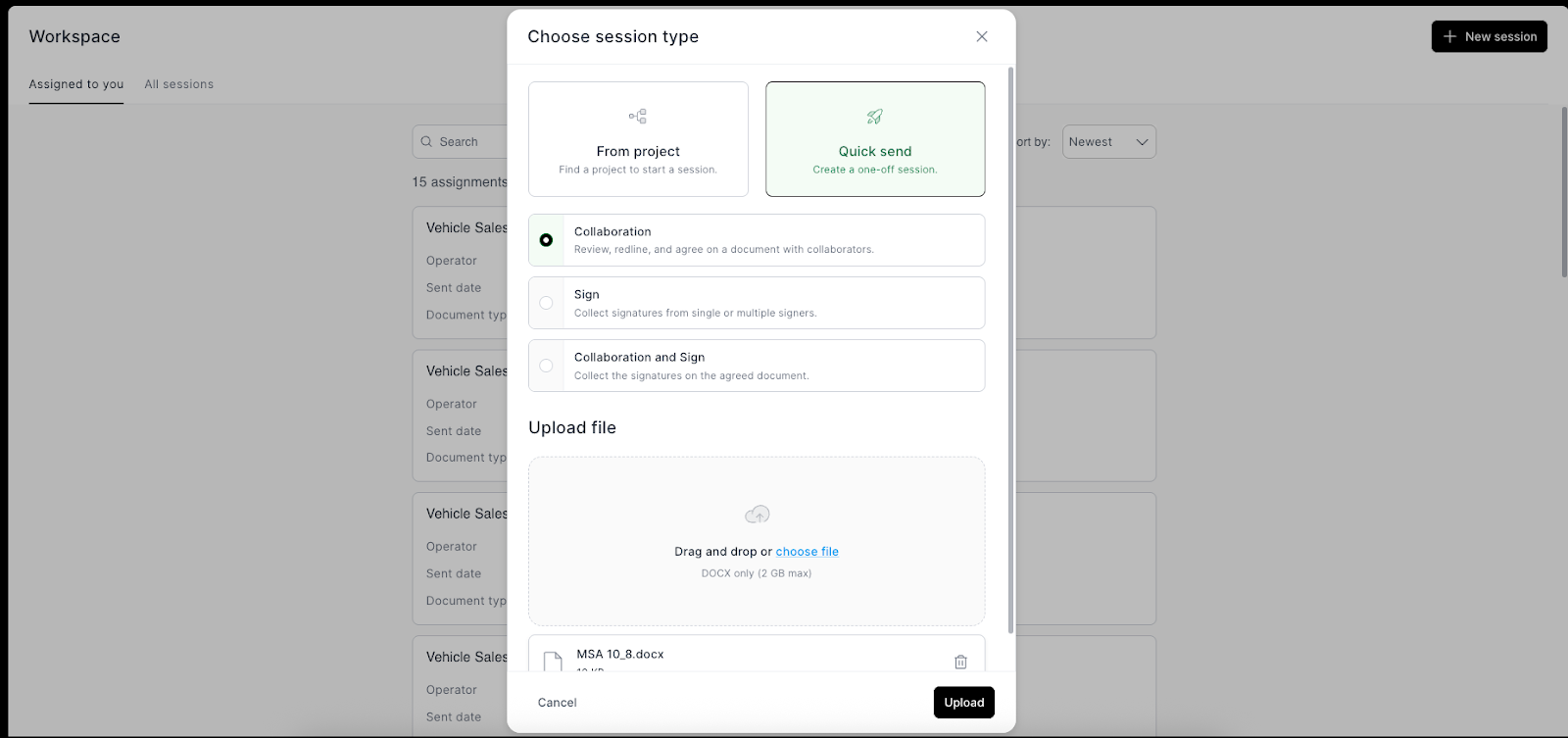
Quick Send, a new feature in Intellistack Streamline, gives you exactly that. Now anyone on your team—from HR to marketing to operations—can send a document for review or signature in three clicks: upload, add recipient, send. No need to build an entire workflow.
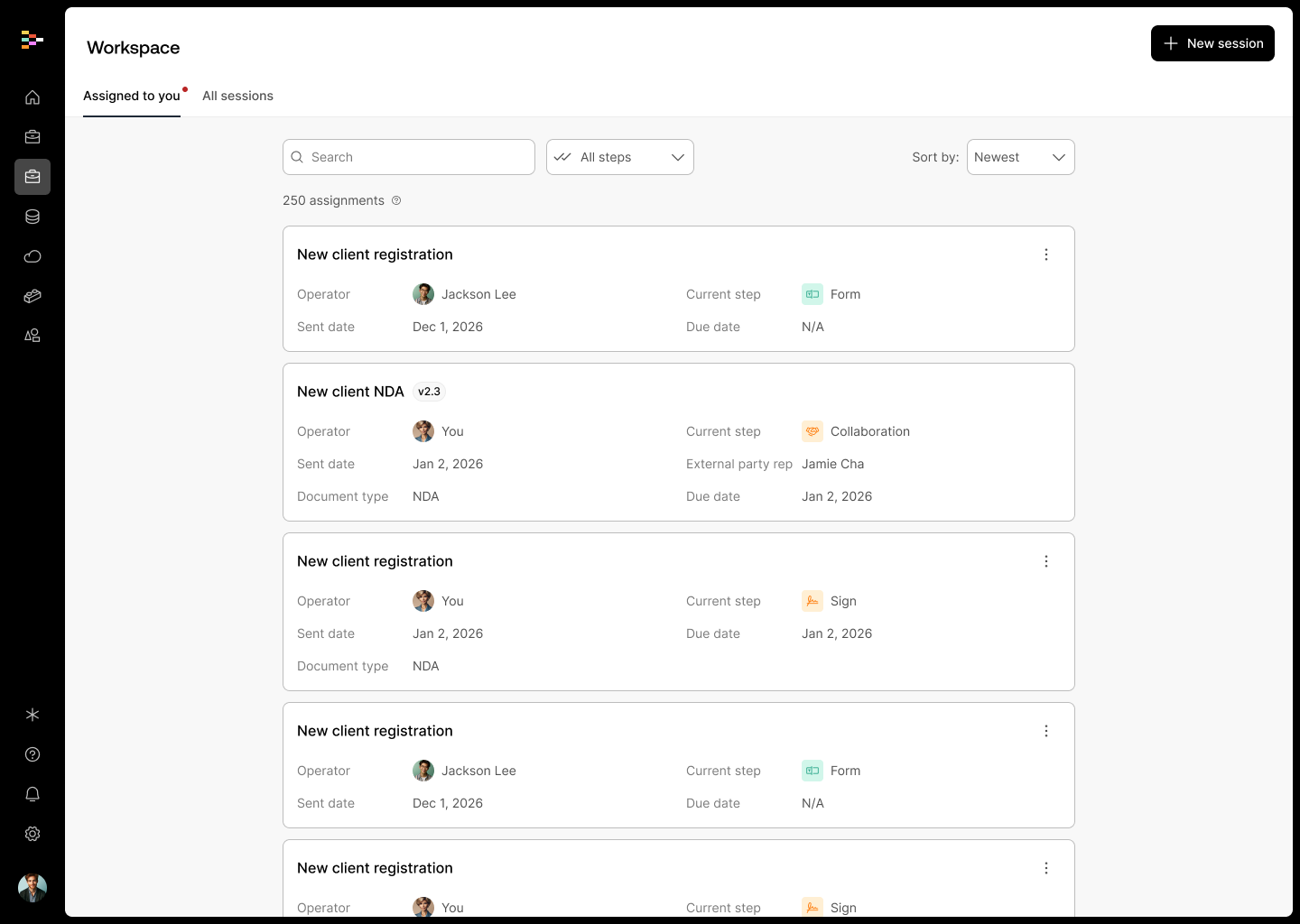
The Quick Send feature was added to the recently refreshed Workspace—your central hub for monitoring workflow sessions across your Streamline account. The Workspace is where you go to ensure sessions are running smoothly and to view all tasks assigned to you.
By using the new Quick Send capability in your Workspace you, and any of your users, have an easy way to send documents for collaboration or digital signature (or both) to a single recipient—without building a full workflow. It’s ideal for quick tasks, one-off sends, and scenarios where speed and simplicity matter most.
What the Quick Send feature does
Send documents instantly without building multi-step workflows. Upload a file, add a recipient, and you're done.
Track everything in one place. The new Workspace shows every document you've sent—whether through Quick Send or an existing project—with real-time status updates.
Let anyone on your team send securely. HR, marketing, operations, whoever needs to send a document can do it themselves, with full encryption and access controls built in.
When should you use it?
Here are a few examples where Quick Send shines:
- Send an intake packet to a single new patient before their appointment.
- Capture a single eSignature for a one-time agreement or release form.
- Email third-party contracts or agreements for internal review and markup, keeping all comments and edits in one secure place.
- Upload your own draft document to collect feedback or redlines from an external collaborator—without ever leaving the Streamline platform.
Your new command center: Workspace
Quick Send lives in the Intellistack Streamline Workspace, your one-stop destination in your account for viewing workflow sessions across your Streamline account. Visit the Workspace to make sure sessions are running smoothly, or view all tasks that have been assigned to you. The Workspace gives you visibility into every document moving through your organization, your Workspace dashboard shows All Sessions across your Streamline account, as well as sessions with an outstanding task assigned specifically to you. Streamline Projects.
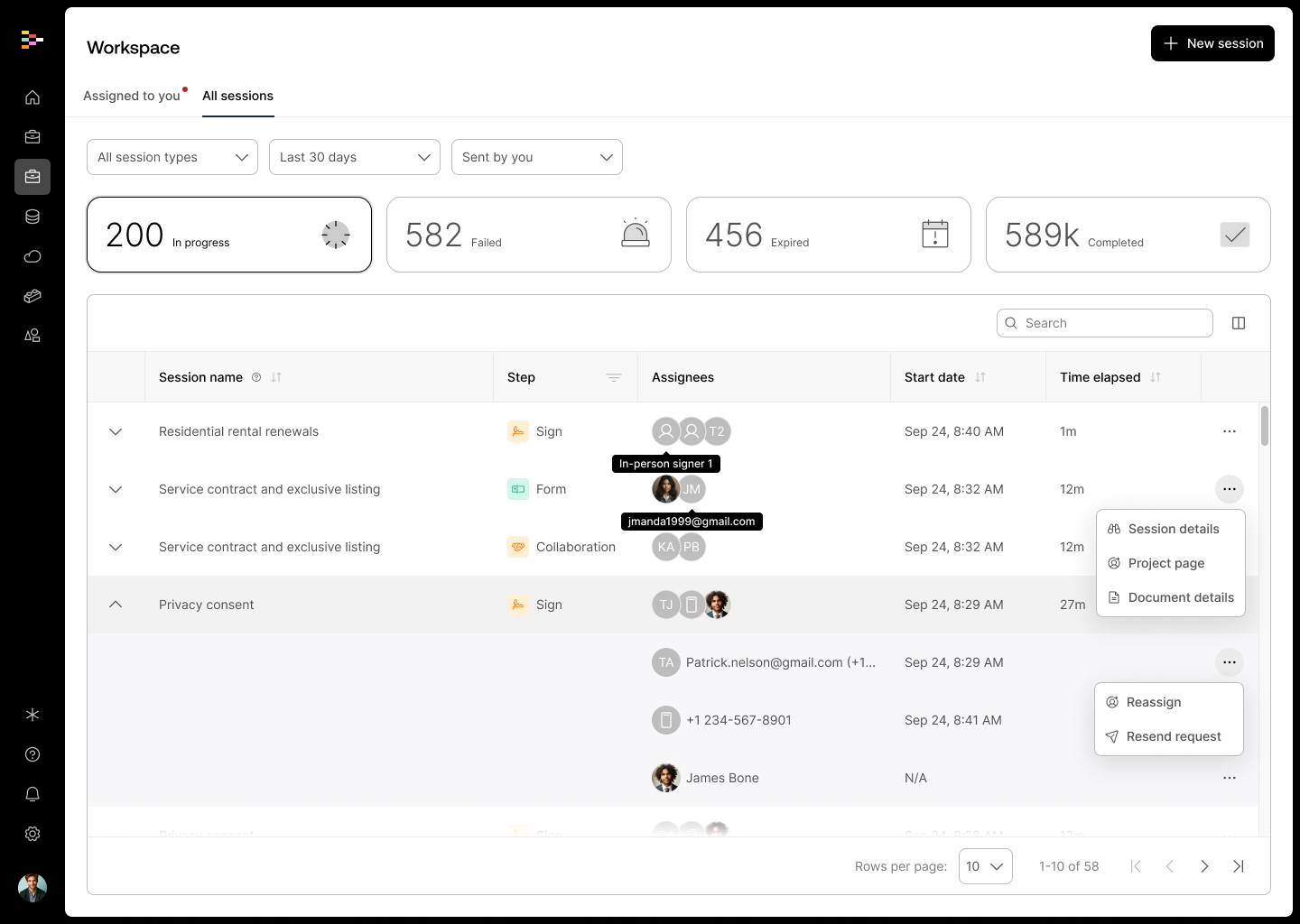
Additionally, in the newly updated Workspace you can:
- View all sent Quick Send workflows, with status indicators
- Toggle between In progress, Failed, Expired and Completed workflows to quickly assess efficiencies and resolve bottlenecks
- Open a record to see metadata and timestamps
- Access responses or documents generated by the workflow
- Reassign form, collaboration and signature tasks
- Cancel or resend workflows if needed
Secure by design
Quick Send leverages all of the same backend protections you expect from Intellistack Streamline:
- Role-based access controls: Quick Send & Workspace is available to all Streamline user roles. The All Sessions view is perfect for Administrators who are looking to maintain visibility across all workflows. Note that Managers, Builders, and Operators can see all Quick Send sessions; however, they will only see other project-related sessions in the Workspace that are associated with projects that they already have access to.
- Full encryption in transit and at rest
- Logged system and user activity
So whether you’re sending PHI, PII, or internal HR paperwork, know that your data is secure.
Get started today
Sometimes, you just need to send a document—quickly, securely, and without a lot of setup. The new Quick Send feature brings the power of Intellistack Streamline to your smallest but most frequent tasks. To learn more, check out this help article.
It’s fast. It’s simple. And it’s available now.