



.jpg)
File uploads just got even better in Intellistack Streamline. File Upload Fields are now supported in the new Forms step, making it easier than ever to build workflows that include documents.
What’s New
With File Upload Fields in the (new) Forms step, you can now:
- Collect files using our latest form builder experience
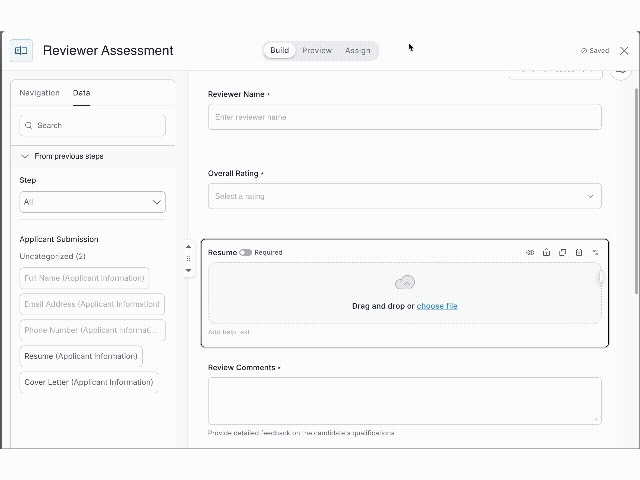
- Map uploaded files from one form step to another, allowing documents to flow across multi-step workflows
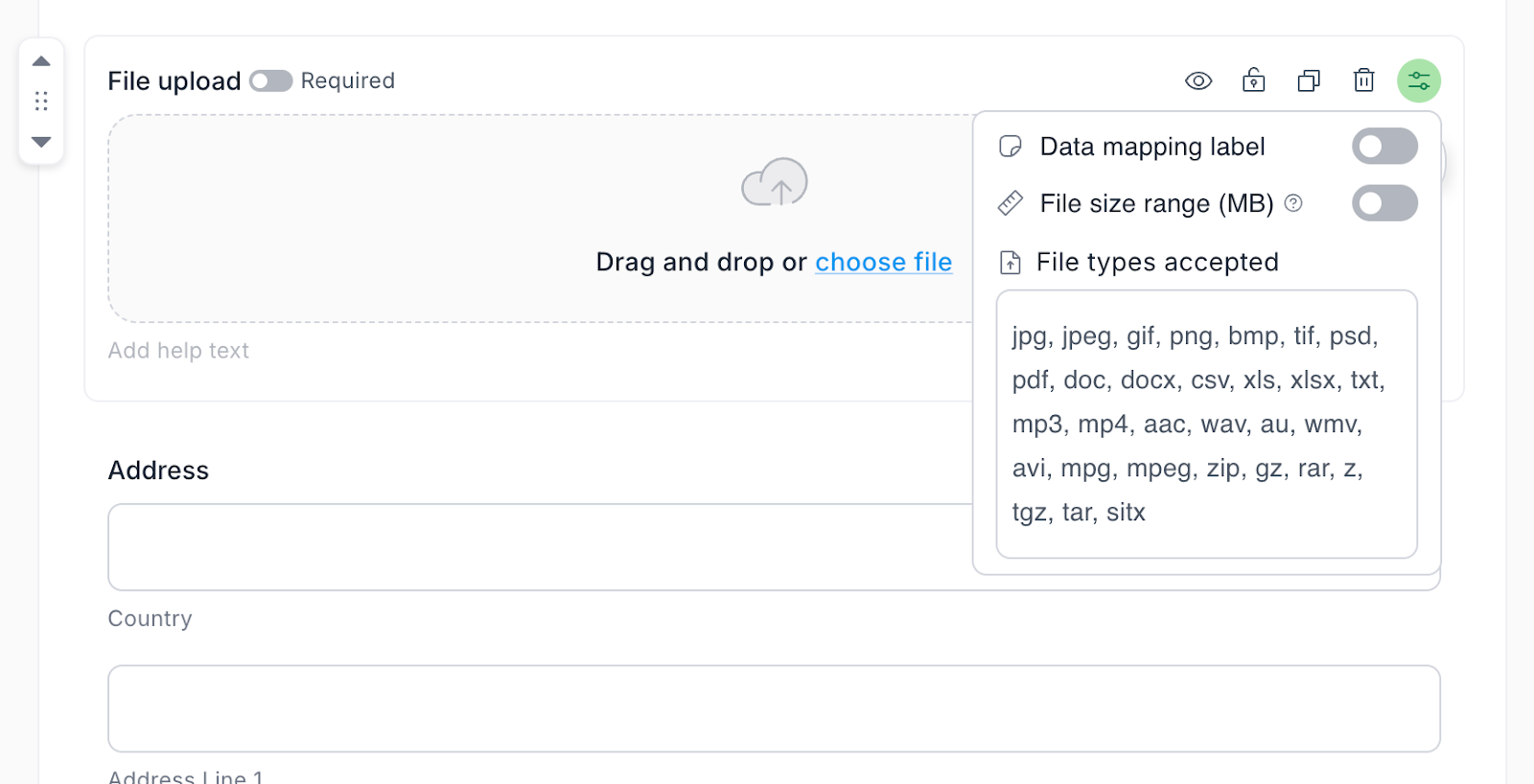
- Use all standard file field settings like “required,” “read-only,” and file type restrictions
- Send files to cloud storage, attach them to emails, or use them in downstream form logic
This opens up new workflow design patterns that weren’t possible with the current form step.
New Use Case: Passing Files Between Forms
The most impactful addition is the ability to pass uploaded files from one form step to another.
For example, in a recruiting workflow:
- A candidate uploads their resume during the application form
- That same resume is automatically passed to a hiring manager review form
- The manager downloads it, reviews it, and leaves structured feedback
- All within a single workflow, with no manual handoffs or disconnected tools
This kind of file routing is not possible with the current Form step.
Other Real-World Scenarios
Here are a few other examples of how you can use this feature today:
1. Invoice Processing
A vendor uploads a PDF invoice. You extract key values like amount and vendor name using Extract Data from Files, then pass both the structured data and the original file to an approval form. The PDF is attached to the approval email and stored in SharePoint.
2. Onboarding Documents
New hires upload certifications and IDs in an initial intake form. The files flow into downstream forms for IT equipment provisioning or HR compliance checks, without needing to be re-uploaded or reattached.
3. Support Ticket Attachments
Customers upload screenshots or logs as part of their support ticket. Those files are passed to internal triage or escalation forms, keeping documentation complete and accessible at every stage.
Secure and Configurable
File Upload Fields in the (new) Forms step support:
- Files up to 2GB
- Virus scanning on every upload
- Map files from other steps to your File field
- Configurable file type restrictions
- Standard field options like "required" and "read-only"
You maintain full control over what’s collected and how it's used.
Available Now
File Upload Fields are now fully supported in the (new) Forms step in Streamline for all customers. This unlocks new flexibility for building file-driven workflows with no manual workarounds.