
Word editing, uploads, and improved versioning for Intellistack Streamline CLM


Legal, operations, and compliance teams don’t all work the same way. Some prefer collaborating directly in the browser. Others live in Microsoft Word and rely on tracked changes to redline documents.
With Intellistack Streamline CLM, you already have the ability to redline and collaborate directly within the platform using our built-in Word-style editor. Now, we’re giving you even more flexibility in how you work by allowing you to move seamlessly between Word and the Streamline platform, while gaining a more structured, transparent version history in the process.
With our latest enhancements to Intellistack Streamline CLM, we made two major additions:
- Support for Word redlining documents
- A more robust versioning system with internal and external version control
Let’s walk through what this means in practice when you are building contract workflows.
Bring Word redlines directly into Streamline CLM
While Streamline CLM provides a Word-like editor for redlining and commenting, we recognize that many teams prefer reviewing contracts in Microsoft Word. Tracked changes and comments are familiar, especially when collaborating across legal and business stakeholders.
Now, collaborators can:
- Download a DOCX file from Streamline CLM with tracked changes enabled
- Edit and redline the document in Word
- Upload the revised DOCX file back into Streamline CLM
- Preserve all Word-native tracked changes, including insertions, deletions, and comments
This makes Streamline CLM compatible with the way your team already works.
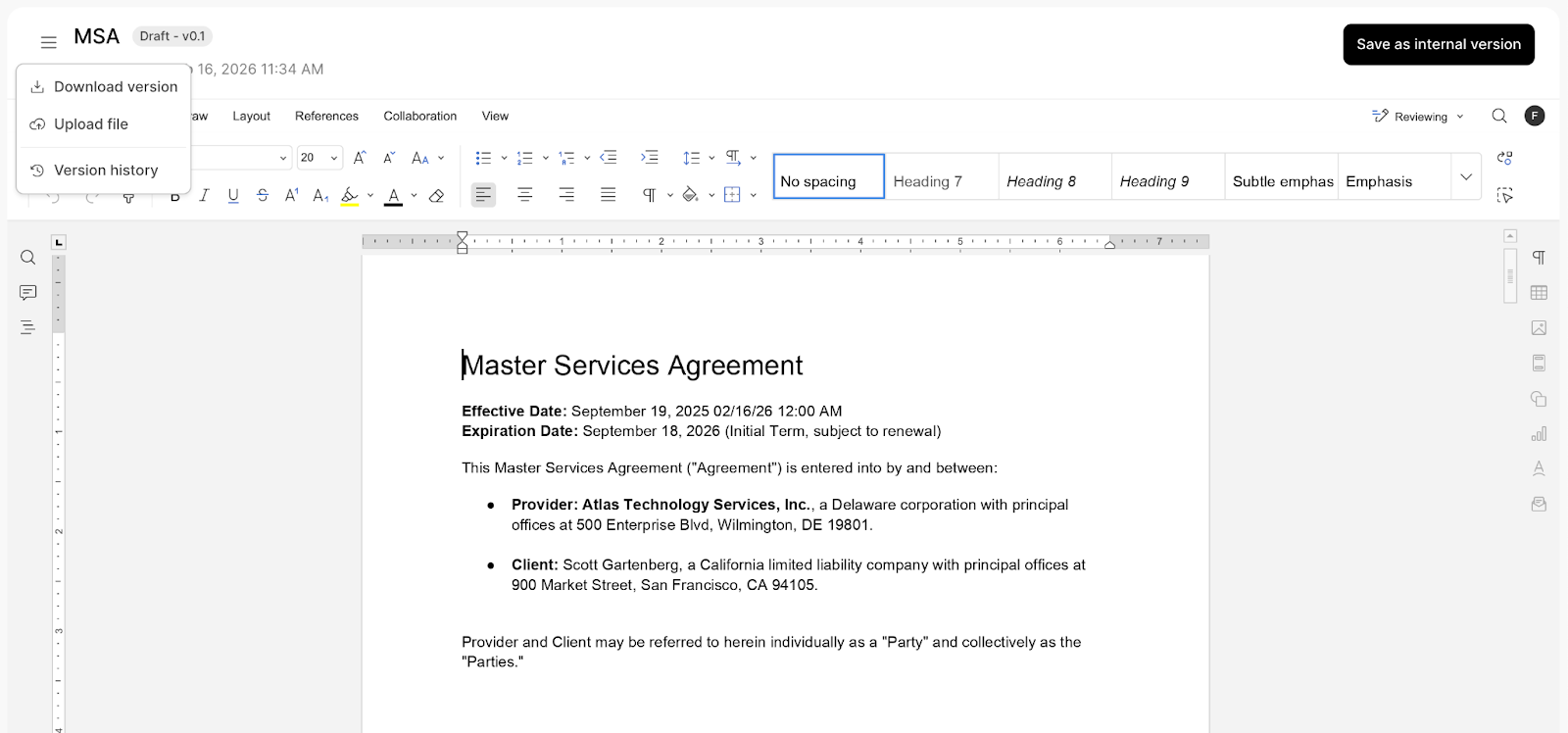
When the file is uploaded, Streamline CLM preserves Word’s tracked changes. You can continue your review process with full visibility into what changed and who changed it.
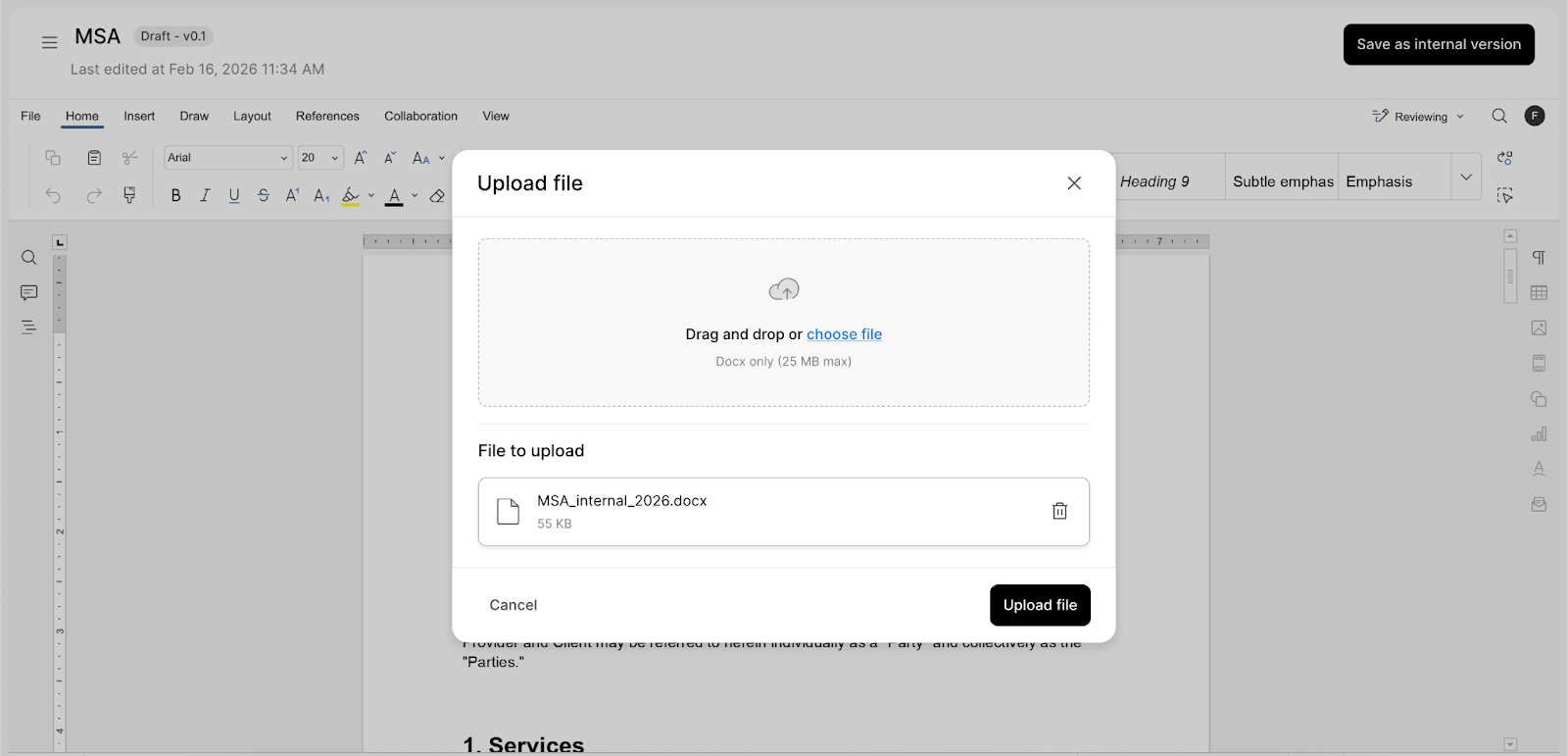
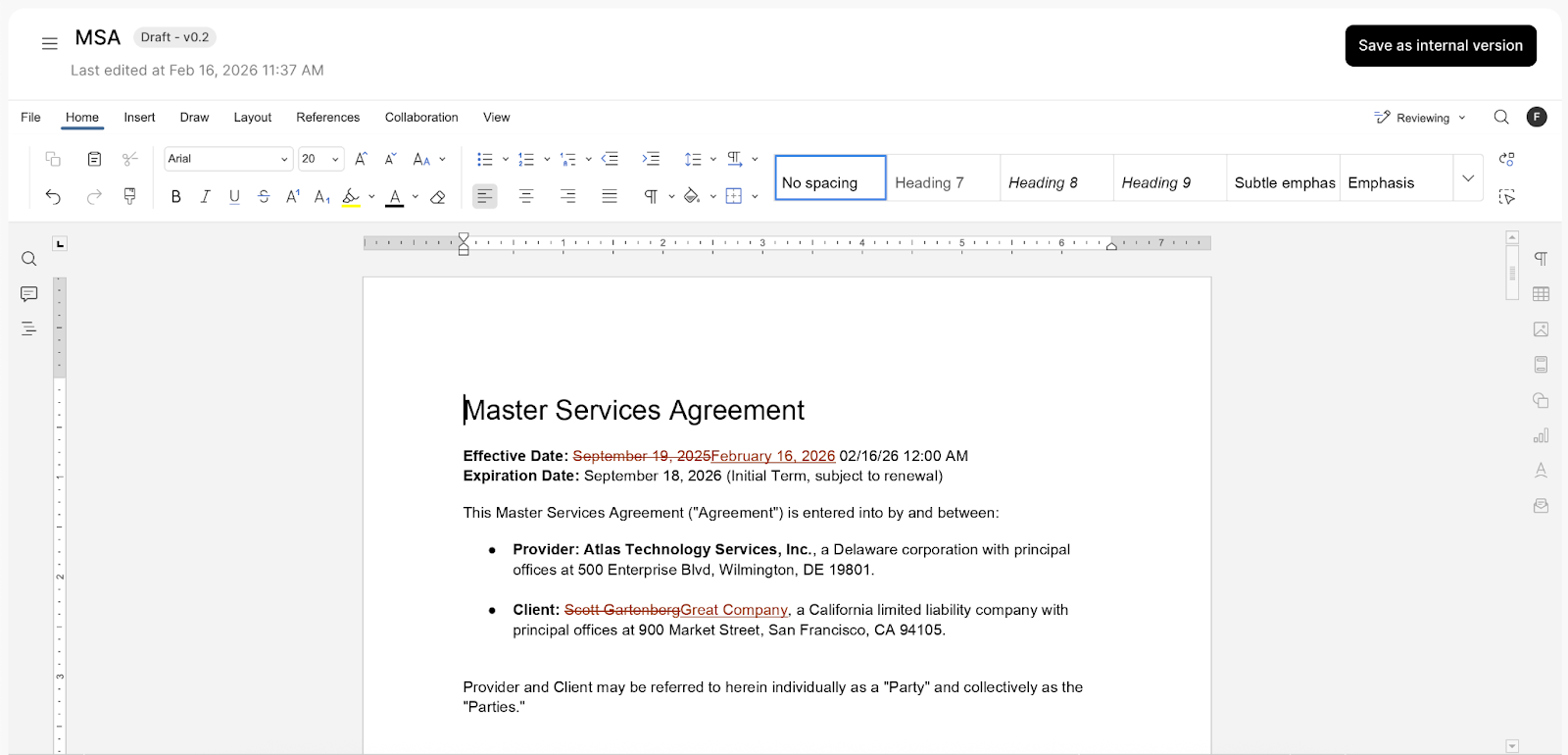
When a DOCX file is uploaded:
- Tracked changes are preserved
- Comments remain intact
- A new, immutable document version is created
Every upload becomes a permanent part of the document’s audit trail.
You get the flexibility of Word-based collaboration without introducing unnecessary risk.
Separate versioning for internal vs external collaborators
The second major improvement is versioning.
Previously, teams struggled with when to formally “advance” a document version, especially when internal discussions were still happening.
Now, you can create internal-only versions that are not visible to external collaborators.
Here’s how it works:
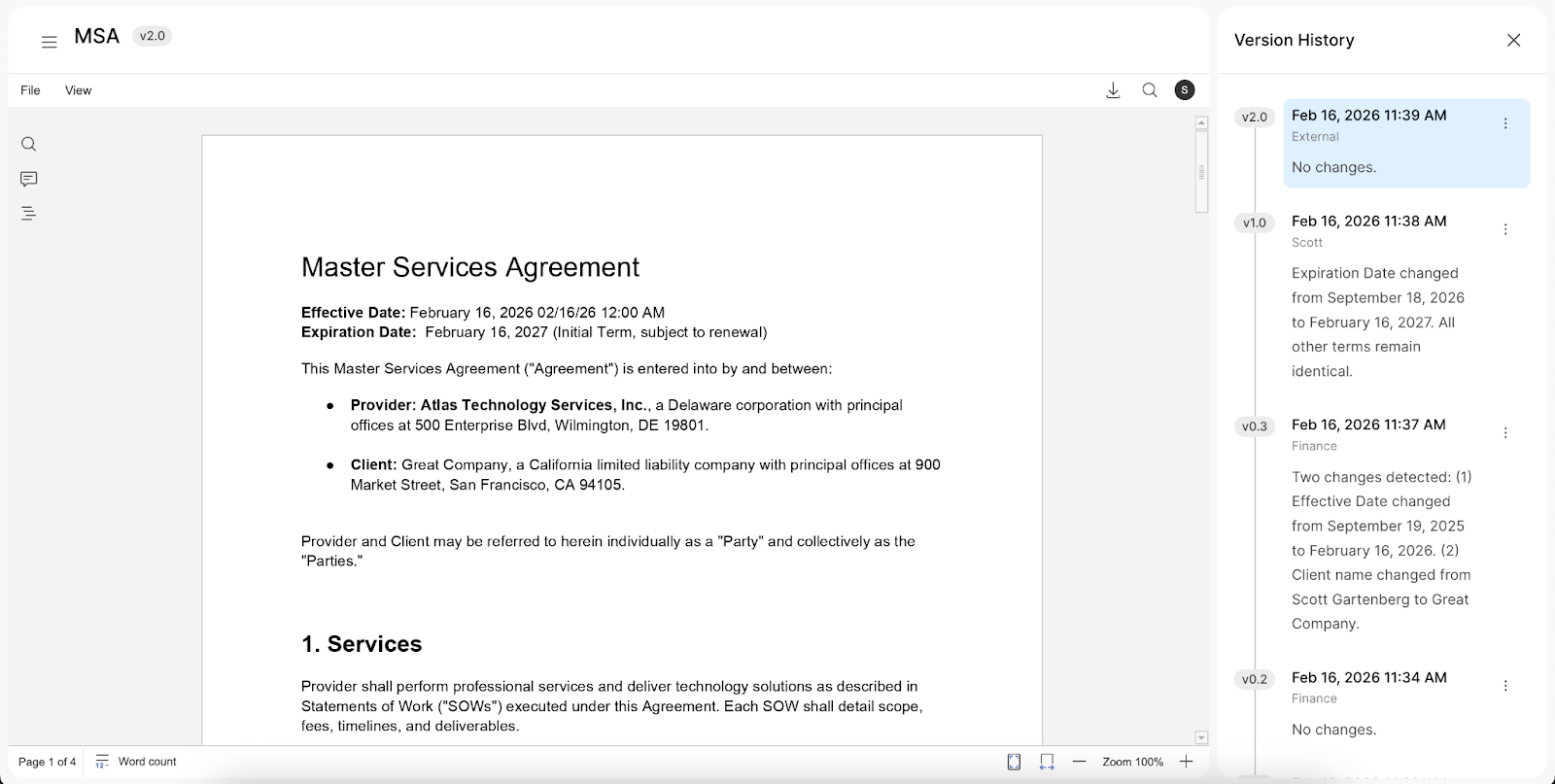
- Internal versions use minor version numbers (for example: 1.1, 1.2)
- Versions shared externally use major version numbers (for example: 2.0, 3.0)
- Every version is immutable and recorded in the version history
This gives teams room to collaborate internally before sending a clean, intentional update to an external party.
A real-world example
Imagine your legal team receives feedback from a vendor on a document, such as… an SOW or MSA.
- You download the document.
- You redline it in Word.
- You upload it as version 1.1.
- Your internal collaborators review want to leave their own redlines in Word.
- They ultimately upload a refined version as 1.2.
- When ready, you send version 2.0 externally.
External collaborators only see the polished major version. Internal stakeholders can iterate as much as needed before that moment.
This separation reduces confusion and prevents premature sharing of draft changes.
Why this matters for your contract lifecycles
This release supports two important realities:
- Not every team wants to collaborate exclusively in-browser. Many rely on Word redlining.
- Not every draft is ready for external eyes.
By supporting Word editing workflows and separating internal from external versioning, Streamline CLM adapts to real-world document processes instead of forcing teams to change how they work.
The result:
- Smoother collaboration between legal and business teams
- Reduced confusion around document versions
- Clear audit trails for compliance
- Greater confidence when sharing documents externally
Get started today
If you’re already an Intellistack Streamline CLM customer, you can begin:
- Downloading documents from the Collaboration space as DOCX files
- Editing with tracked changes in Word
- Uploading revised versions directly into Streamline
- Creating internal versions before advancing to a new major version
If you’d like to see how Word Editing, Uploads, and Improved Versioning fits into your current document workflows, reach out to your Intellistack representative or schedule a demo.
Streamline CLM is built to reduce friction - not introduce it. With this update, your document workflows can finally reflect how your teams actually collaborate.