
Introducing the transform step: AI-powered data intelligence for your workflows


We’re excited to introduce the Transform Step, a new AI-powered workflow step that lets you clean, reshape, and enrich data directly inside any Intellistack Streamline workflow. With this powerful data transformation, you can turn raw inputs into structured, system-ready outputs using plain language, no code, and no external tools.
The result is faster workflows, cleaner and more usable data, less manual work, and no external tools.
AI-powered data transformation, built in
The Transform Step makes data transformation a first-class part of your workflow. Data within a workflow is often collected from various sources, including freeform text fields, semi-structured inputs, and external systems. However, this raw daw is often not immediately useful in a workflow without additional processing, whether that’s reformatting, classifying, summarizing, or even deriving new values.
Instead of exporting data, building custom scripts, or relying on third-party services outside the platform to make that data usable, you can now handle common and complex transformations exactly where they belong.
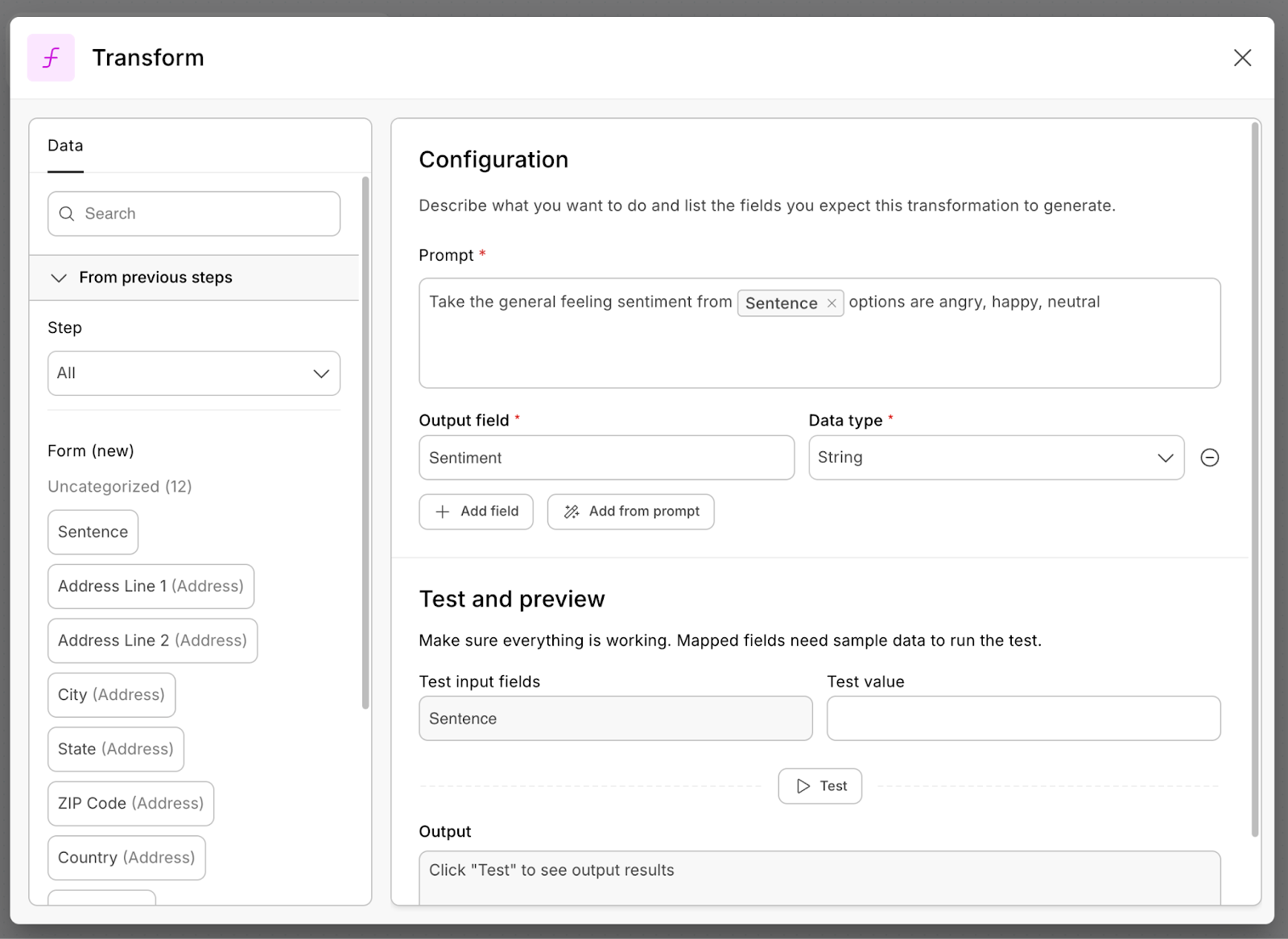
Add a Transform Step anywhere data needs to change. Describe what you want to happen in natural language. Map in the input fields and choose where the output should go. The step takes care of the rest automatically for every submission.
Practical use cases you can use right away
The Transform Step was built from real customer needs. Here are a few ways teams are already using it.
How the data transformation works
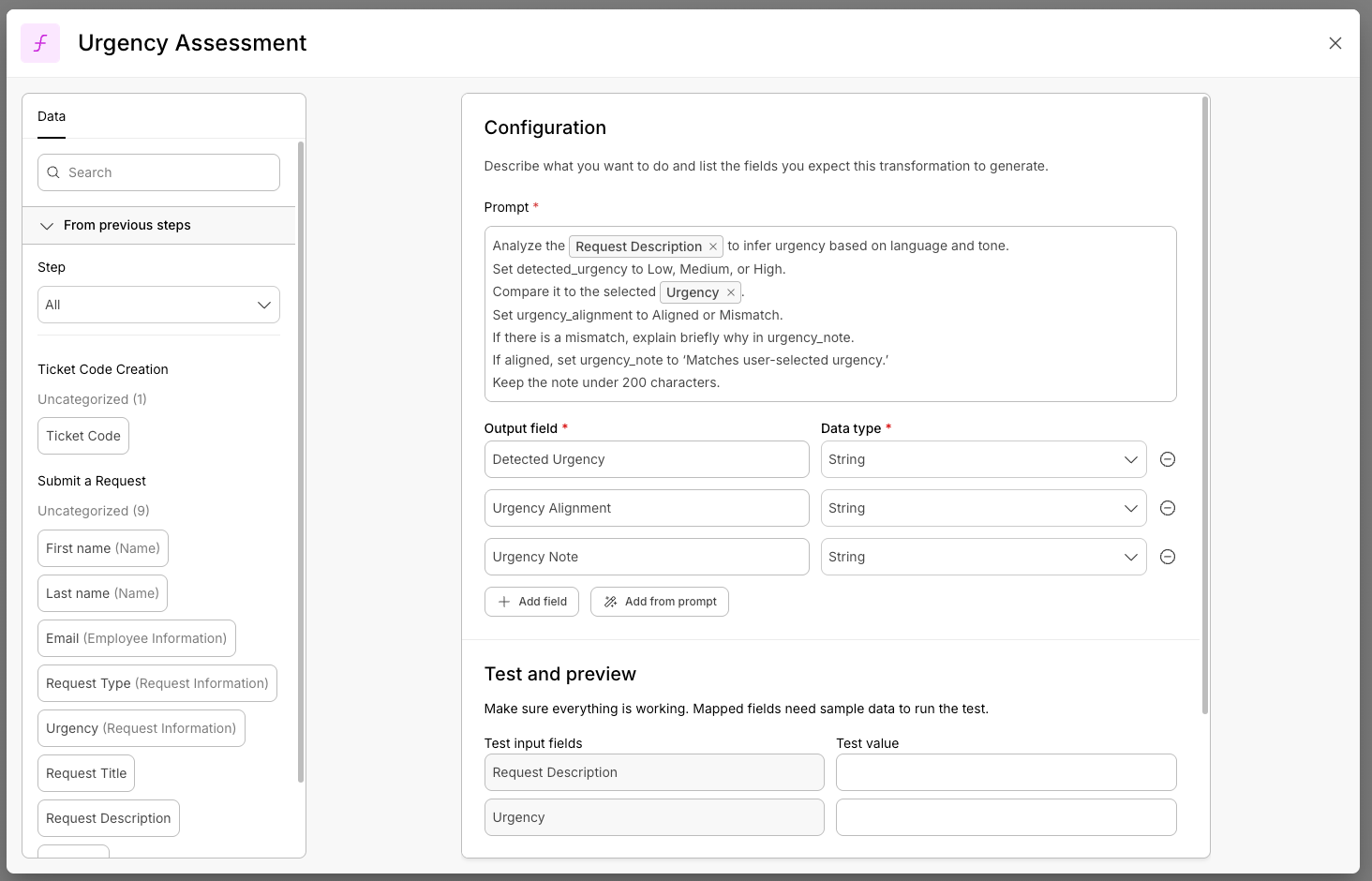
The Transform Step fits seamlessly into your workflow between any data source and any downstream action, such as when needing to bring data from one form to another, but in a different format. Each transformation lives in its own step, making workflows easier to understand, test, and maintain. You can even chain multiple Transform Steps together and reference outputs from earlier steps.
You define the transformation using a natural language prompt, test it with sample data, and then let it run automatically on every submission.
- Add the step where you need it
- Describe what you want in plain language (example: "Extract the username from this email address")
- Map your input fields
- Test your prompt
- Choose where the output goes
- Done—it runs automatically on every submission
Start transforming data today
These examples are just the beginning. The Transform Step is flexible by design, so you can adapt it to your own processes, formatting standards, and data needs. If you can describe the transformation, you can build it.
The Transform Step is available today for all Intellistack Streamline users. Add it from the step library and start building smarter, more efficient workflows with AI-powered data intelligence built right in.