
Guide students from internship details to a signed agreement with Pages


An internship can begin with a clear path from placement details to a signed agreement. In Intellistack Streamline, Pages keeps students informed while their agreement is prepared and closes with a confirmation that explains what happens next.
In this example, Maya is a university student preparing for an internship. She submits her placement details, waits while the workflow prepares her agreement, and signs when it is ready. Each transition gives her context for the next part of the process.
Connect placement details to the agreement
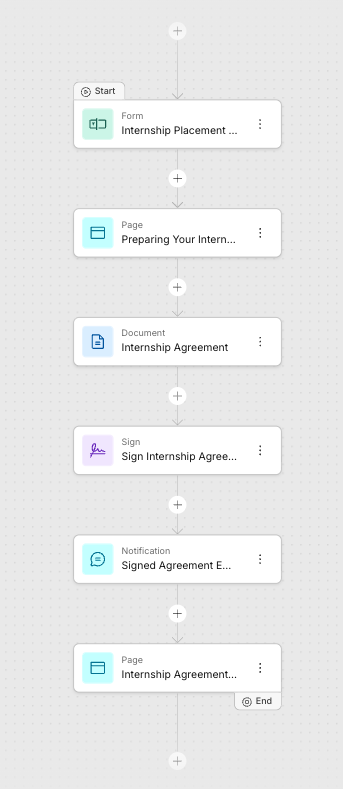
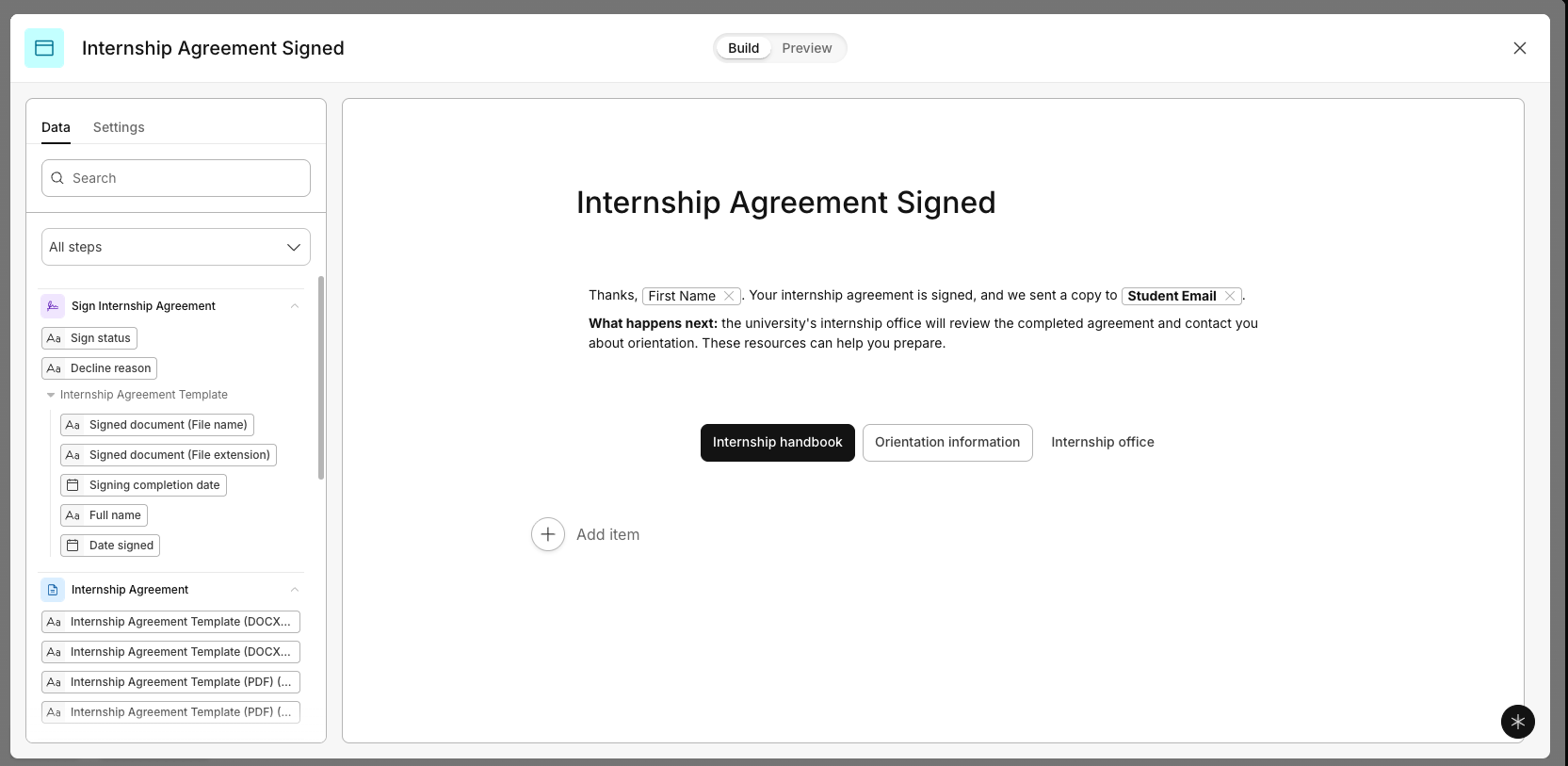
The internship workflow brings the student's submitted details, agreement preparation, signature, and signed-copy notification into one sequence. A Page after the form explains the preparation underway. A final thank-you Page confirms completion and points the student toward the university's next steps.
Those messages use details already provided in the form, so the experience stays specific to Maya and her placement.
See progress while the agreement is prepared
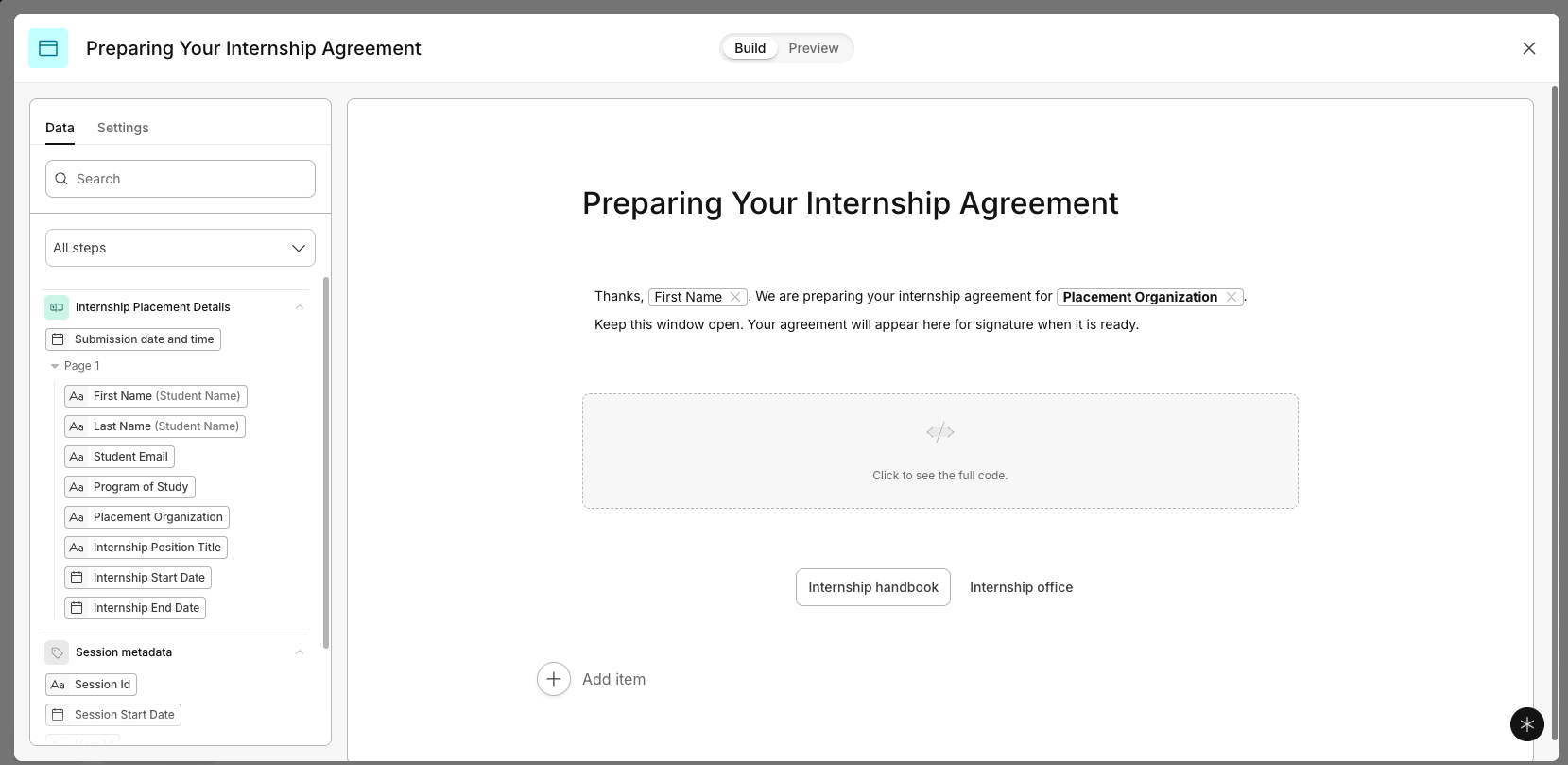
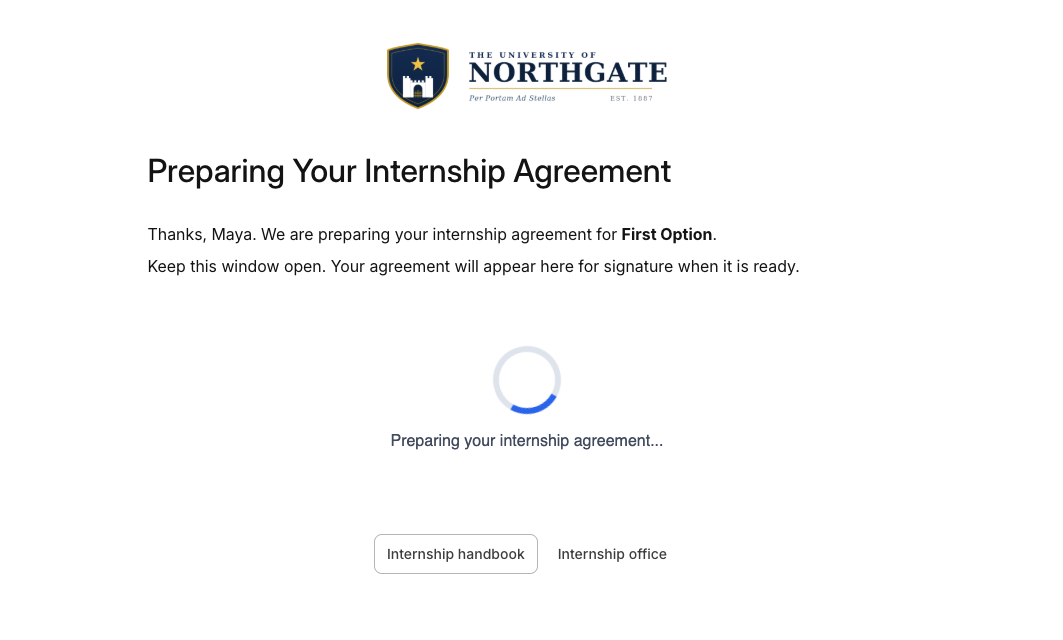
While the agreement is generated, Maya sees a message addressed to her by name. It confirms that her internship agreement is being prepared for the placement organization she entered.
A loading animation reinforces that work is underway. The message asks her to keep the window open and explains that the agreement will appear there for signature when it is ready. The workflow continues in the background and brings her to the signing task when it is available.
The Page gives that processing time a clear place in the experience. Maya knows what is happening, why she is waiting, and what she will be asked to do next.
Leave with confirmation and a plan
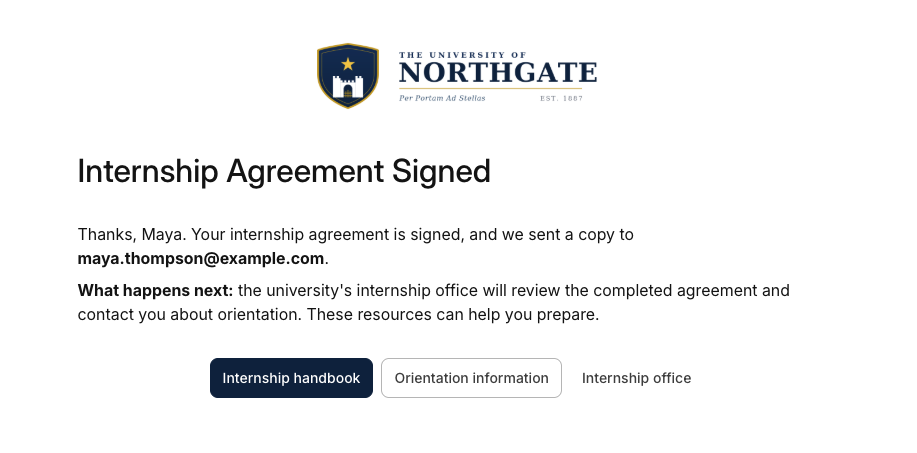
After Maya signs, the workflow sends the signed agreement and shows a thank-you Page. The message confirms that her agreement is signed and tells her where the copy was sent.
It also explains the next step in this example: the university's internship office will review the completed agreement and contact her about orientation. Links to an internship handbook, an orientation page, and the internship office give her resources for preparing.
That ending connects the signed agreement to the placement ahead. Maya leaves with confirmation of what she completed, an explanation of who acts next, and somewhere to go for more information.
Keep students informed through the handoff
For the university's internship office, Pages creates room to explain the process at the moments a student needs context: while the agreement is being prepared and after it is signed.
For Maya, the final screen connects the agreement she just completed to the people and resources that will help her get ready for the internship.
Want to learn more? Explore Intellistack Streamline’s new Page step.