


Registration for a first clinic visit can end everything a patient needs to find the clinic and show up prepared. With Pages in Intellistack Streamline, patients can see a personalized confirmation and explore a clinic map on the screen that follows registration. The same Code block can also bring videos, third-party scheduling tools, and other embeddable content into a Page.
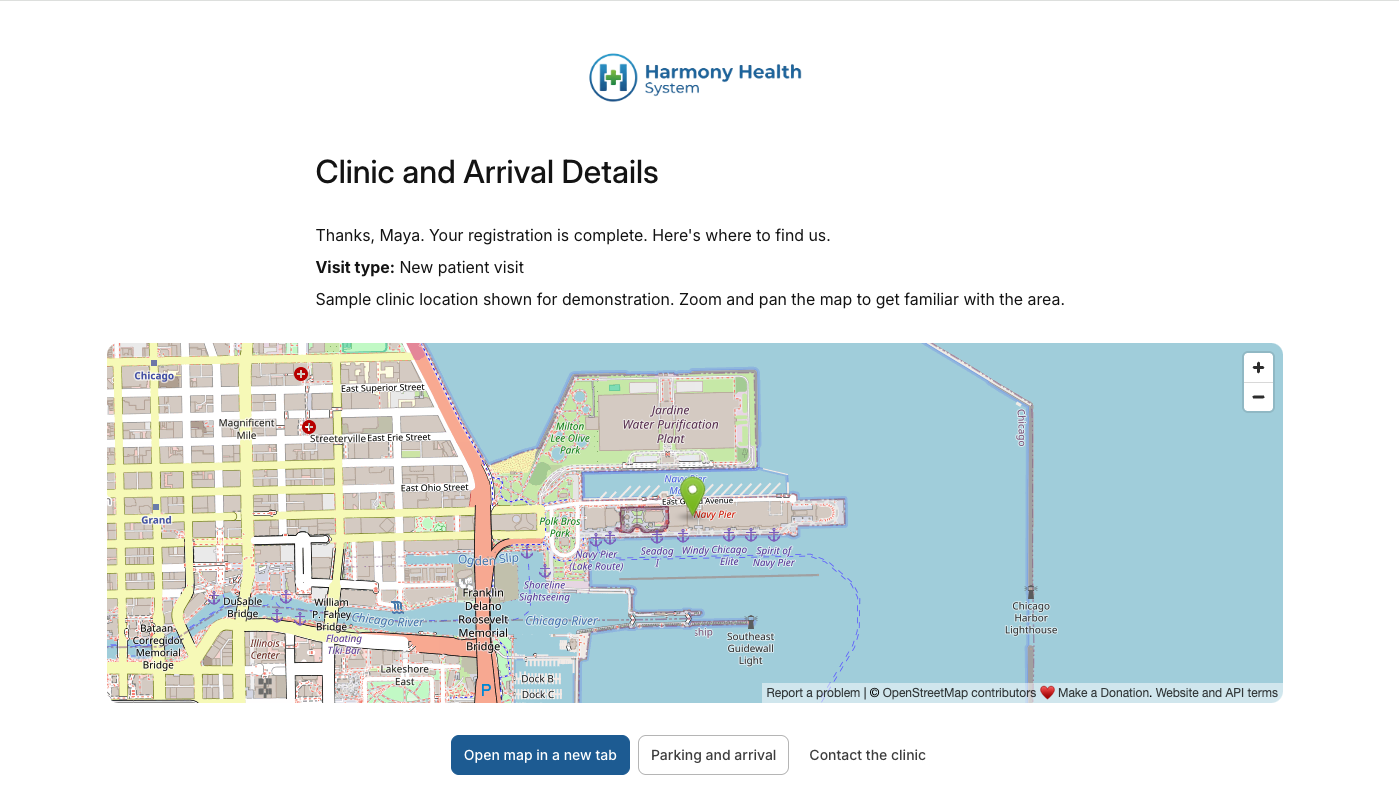
In this example, Maya has an upcoming first visit at a clinic. She completes her registration form, then sees a Page that greets her by name, confirms that her registration is complete, and shows an interactive map of the clinic location.
Connect registration to the place of care
The message at the top of the Page makes the transition clear: “Thanks, Maya. Your registration is complete. Here's where to find us.” Her name and visit type come from the answers she just submitted.
Below that message, an embedded map shows the clinic location. Maya can zoom and pan within the Page to get familiar with the surrounding area. Her registration confirmation and the location information are together when she is ready to think about getting there.
Carry registration through to arrival
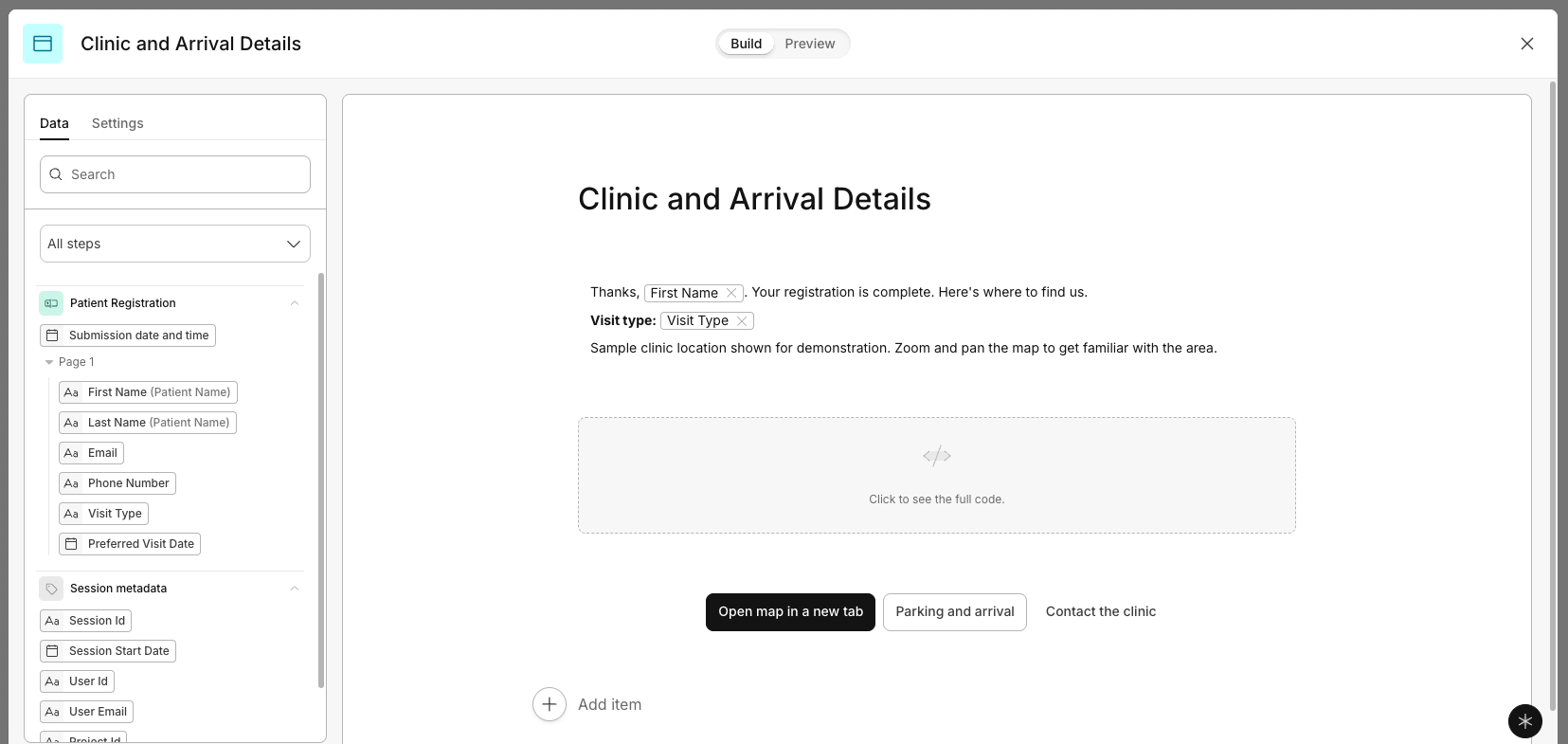
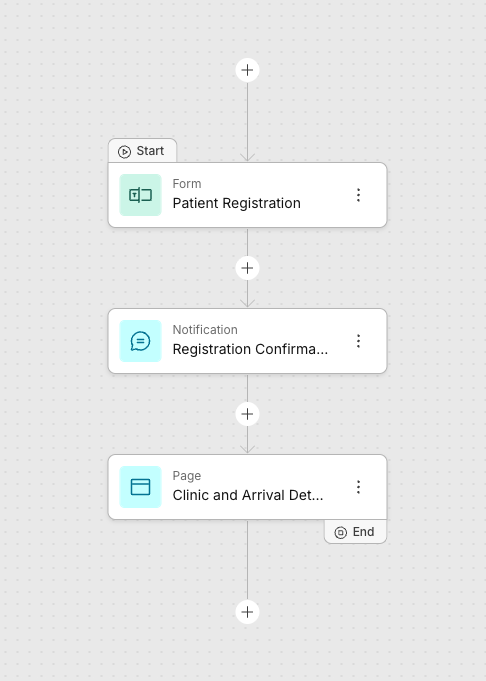
The example workflow has three steps: Patient Registration, a registration confirmation notification, and the Clinic and Arrival Details Page. The final Page connects the completed registration to the practical details of attending the visit.
For Maya, that is a natural moment to check where the clinic is and look for arrival information. She can explore the map while the confirmation of her registration is still in front of her.
Make arrival resources easy to find
Alongside the map, the Page offers links to open the map in a new tab, read parking and arrival information, and contact the clinic. Maya can choose the resource she needs as she prepares for her visit.
The clinic can use the surrounding message to explain where patients should go when they arrive, while the map gives them a way to explore the location. Together, those details connect the online registration to the in-person visit.
For the clinic team, the confirmation Page is a place to share the arrival information patients need after registering. For Maya, completing the form leads directly to the location and resources that help her prepare for her first visit.
Bring other useful experiences into the Page
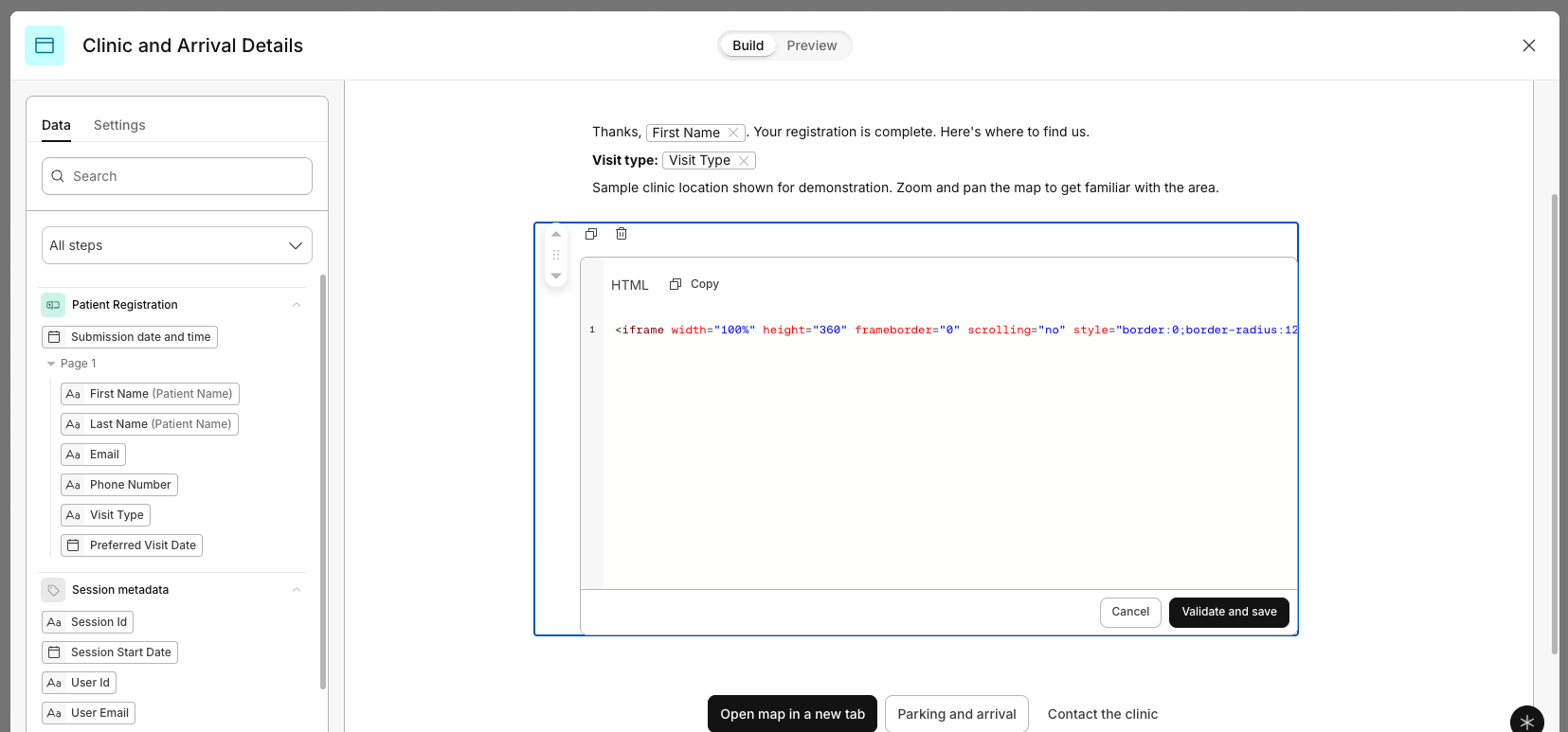
The clinic map is one example of what a Code block can bring into a workflow. Depending on the experience and the provider's embed options, other possibilities include:
- Videos — share a welcome message, an orientation video, or a walkthrough of what to expect, using an embeddable player such as YouTube.
- Third-party scheduling — offer a scheduling experience such as Calendly so someone can choose a time for an advising session, a tour, or a follow-up call.
- Maps — help people explore a clinic, campus, event venue, or another destination while the location details are in front of them.
- Interactive tools — offer a custom calculator or checklist that helps someone explore options or prepare for their next step.
Each embed needs to work within the Page's isolated frame, and availability depends on the provider's settings. Bookings, answers, and results inside an embedded tool do not automatically become data in the current Streamline workflow.
The goal is the same as in Maya's clinic example: put a useful resource at the point in the process when someone is ready for it.
Want to learn more? Explore Intellistack Streamline’s new Page step.